
Buying a student laptop often means stretching money already allocated for tuition, transportation, and internet. Families need a machine that handles assignments today and remains useful through graduation. That requires looking beyond processor stickers, freebies, and monthly installment amounts.
The best laptop depends on your course, commute, and realistic spending limit. A business student preparing spreadsheets has different requirements from an architecture student building detailed models. Spending more only makes sense when the hardware supports work you actually need.
For daily commuting, aim for 1.4kg–1.7kg, particularly when comparing 14-inch models. Include the charger when assessing carrying weight. Larger screens offer more workspace but add bulk inside crowded classrooms and public transportation.

Treat four-year durability as a buying goal, supported by sensible specifications, careful handling, and accessible repairs. A dependable keyboard, sturdy hinges, and local warranty matter alongside processing power. Start with these fundamentals before comparing Philippine store offers.
Non-Negotiable Laptop Specs in 2026
Processor: Check the Complete Model Number
For basic academics, start with an Intel Core i3, Core 3, or AMD Ryzen 3. For heavier multitasking, target a Core i5, Core 5, Core Ultra 5, or Ryzen 5. Always compare complete processor numbers because these names cover different performance classes.
The Core i3-N305 and Core 3 N355, for example, belong to Intel’s entry-level N-series. Consider them for documents, research, and learning portals. Their branding does not make them equivalent to every other Core i3 or Core 3.
Similarly, a Ryzen 5 label alone does not establish performance. Processor architecture, core configuration, cooling, and power limits affect the experience. Ask the seller for the complete specification sheet.
An “AI laptop” label should not outweigh memory, display quality, or application compatibility. Students usually benefit more from balanced specifications than a marketing feature their coursework never uses.
Memory: Buy Enough for Simultaneous Applications
Modern student workloads involve several applications at once. A browser, video meeting, PDF reader, and presentation editor all compete for memory. Limited RAM makes switching between them less comfortable.
- Minimum: 8GB RAM for basic academic work.
- Recommended: 16GB RAM for a longer useful lifespan.
- Specialized workloads: Consider 32GB, particularly for virtual machines, larger models, or demanding editing.
Confirm whether the laptop has memory expansion slots. Soldered memory cannot simply be replaced with a larger module. An affordable 8GB configuration becomes less attractive when that capacity remains permanent.
Storage: Choose an NVMe SSD
An SSD improves startup, application loading, and everyday responsiveness. Choose at least 256GB NVMe storage, preferably 512GB. Larger applications, offline files, and project assets quickly reduce available space.
- 256GB: Acceptable for basic coursework with careful file management.
- 512GB: The practical target for most students.
- 1TB: Useful for video projects, development environments, and larger software installations.
Check whether storage can be replaced or expanded. An external drive helps with archives and backups, but it does not replace adequate internal capacity.
⚠️ Warning: Avoid older Celeron/Pentium laptops, 64GB/128GB eMMC flash storage, and non-upgradeable soldered 4GB RAM for a new four-year purchase. Windows 11 updates need storage headroom, while modern browsers consume substantial memory. These limitations can cripple everyday usability within a year through storage shortages, slowdowns, and constant application reloading. That timeframe describes a risk, not a guaranteed failure date.
Microsoft’s Windows 11 system requirements describe installation minimums, including 4GB RAM and 64GB storage. Those figures should not become your shopping target. Comfortable academic multitasking requires more headroom.
Display: Full HD Does Not Automatically Mean IPS
Require at least 1920 × 1080 Full HD resolution with an IPS panel. A 1920 × 1200 screen adds useful vertical workspace for documents. Check brightness, reflections, and viewing angles before paying.
A Full HD label describes resolution, not panel technology. Some affordable configurations still use TN panels with less consistent viewing angles. Read the exact specification instead of relying on the model family.
For multimedia students, IPS alone does not guarantee accurate colors. Check color coverage and independent display measurements when available. General academic users should prioritize readable text and comfortable brightness.
Best Student Laptops by Philippine Budget Tier
The ranges below are shopping targets, not guaranteed quotations. Promotions, remaining stock, software bundles, and installment terms affect final prices. Some qualifying configurations will exceed these ranges.
Start comparisons with the PC Express Philippines laptop catalog, then request matching quotations elsewhere. Compare exact model codes rather than similar product names. Two laptops carrying the same family name can have different screens, memory, and processors.
Entry-Level / Basic Academics: ₱20,000–₱29,000
This tier suits essays, research, presentations, and basic spreadsheets. Prioritize sufficient memory, an SSD, and a qualifying display. Avoid sacrificing these essentials for a free mouse or backpack.
Lenovo IdeaPad 1 / IdeaPad Slim 1 — target ₱20,000–₱28,000
- Look for Core i3 or Ryzen 3 configurations.
- Require 8GB RAM and 256GB–512GB SSD storage.
- Verify IPS explicitly; Full HD wording alone is insufficient.
- Check whether memory is soldered before planning future upgrades.
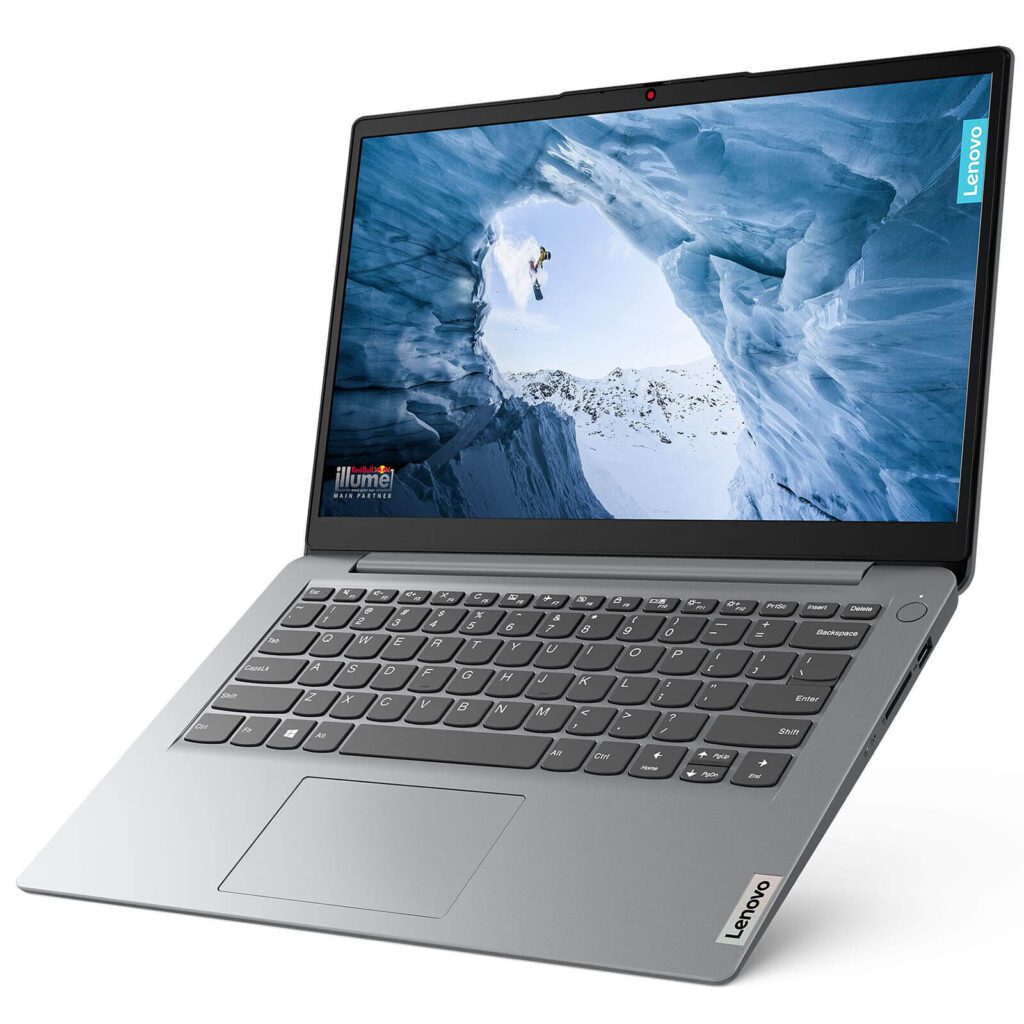
Philippine listings include IdeaPad 1 configurations with Ryzen 3 7320U, 8GB RAM, and 512GB storage. However, stock and screen specifications vary. Consult the Lenovo Philippines IdeaPad range when comparing current families and configurations.
Acer Aspire 3 / Aspire 15 — target ₱23,000–₱29,000
- Shortlist qualifying Core i3 or Ryzen 3 versions.
- Reject configurations with 4GB RAM or 1366 × 768 displays.
- Verify upgrade options and the complete purchase price.
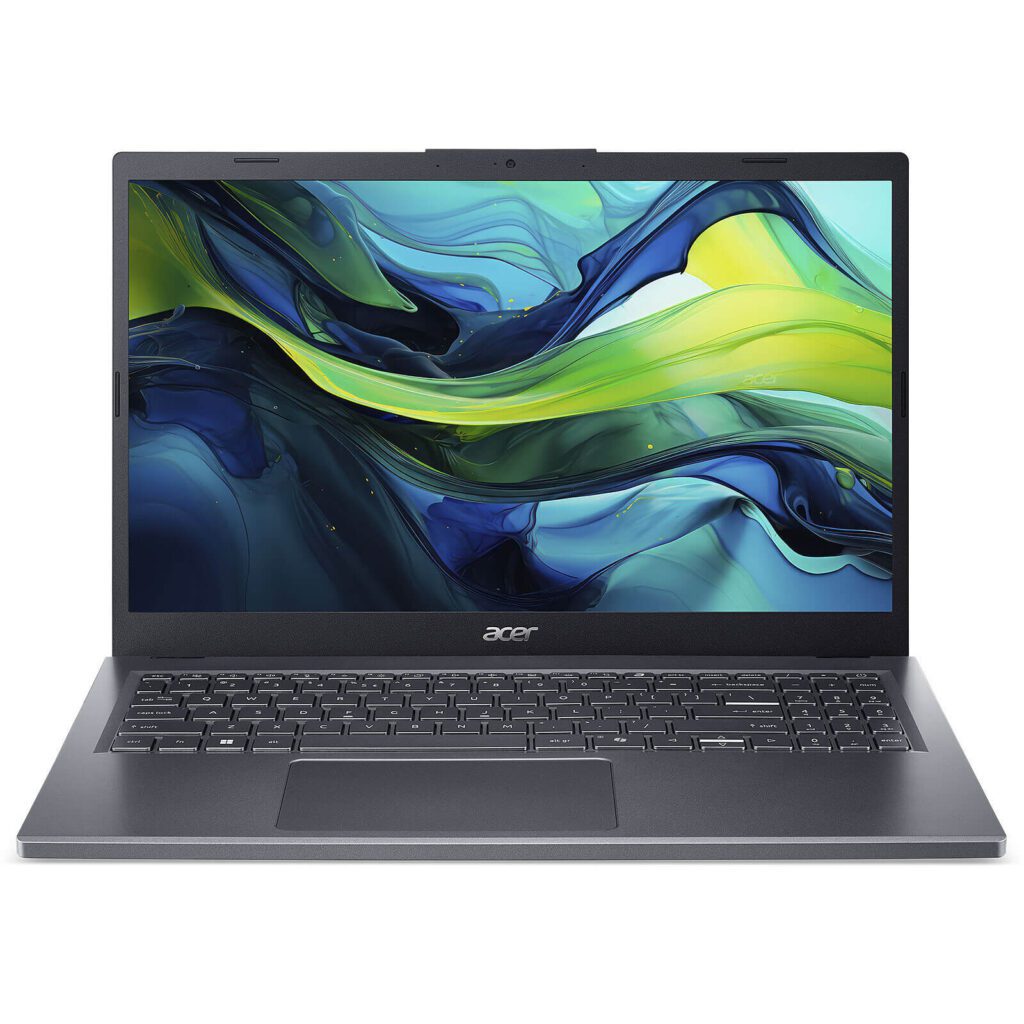
Check the Acer Philippines official store alongside retailer quotations. The original laptop-category address may change, so use the store’s navigation to find current models. Older-stock discounts deserve particular scrutiny.
HP 14 with Core i3-N305 — watch for promotions near ₱27,000–₱29,000
- Look for 8GB RAM and a 512GB SSD.
- Confirm that the display meets your IPS requirement.
- Compare the final quotation against stronger processors on promotion.
If no configuration meets the minimum within budget, reconsider the shortlist. A small increase can provide better value than accepting permanent hardware limitations.
The Student Sweet Spot: ₱30,000–₱45,000
This bracket provides a sensible starting point for most four-year academic purchases. Target 16GB RAM, a 512GB NVMe SSD, and an IPS display. Include any required upgrade in the budget.
ASUS Vivobook 15 / 16 — target ₱35,000–₱45,000
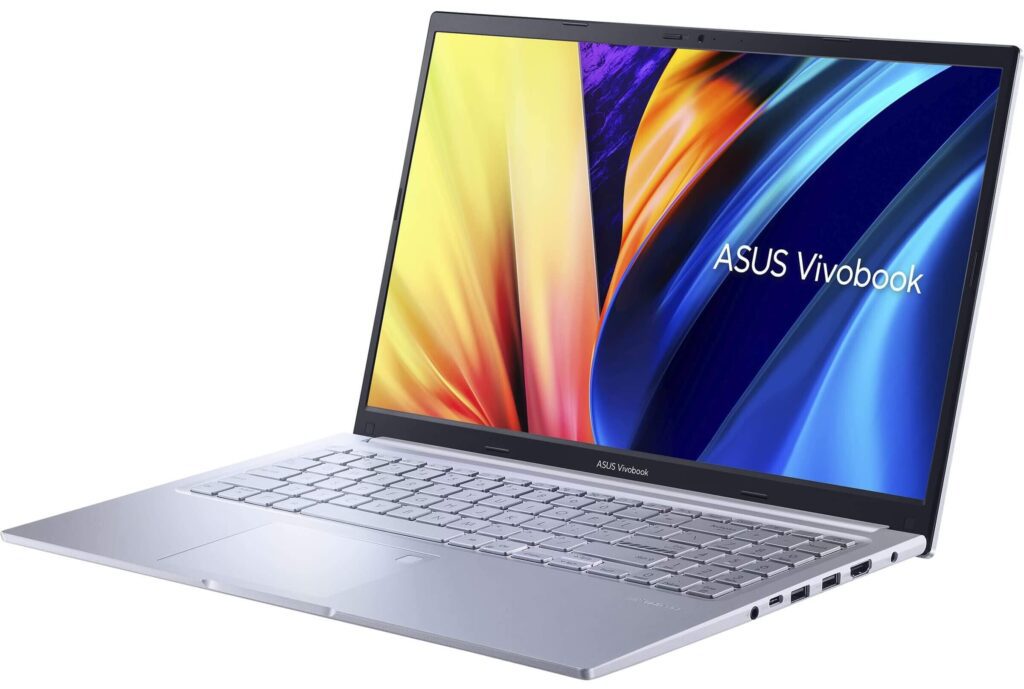
Compare Core i5, Core 5, and Ryzen 5 configurations. Check memory capacity, screen technology, and weight using the ASUS Philippines laptop portal. Some Vivobook 16 variants exceed this budget substantially.
Acer Aspire Go / Aspire Lite — target ₱30,000–₱40,000
Seek qualifying Core i5 or Ryzen 5 configurations, particularly promotional or older-stock offers. Distinguish these from similarly named N-series versions. The family name alone does not establish performance or price.
Lenovo IdeaPad Slim 3 — target ₱32,000–₱43,000
Favor verified 16GB/512GB IPS configurations. Some versions use soldered memory or TN screens. Ask the seller to confirm each component in writing.
Huawei MateBook D 14 / D 16 — target ₱35,000–₱45,000
Compare Core i5 versions, preferably with 16GB RAM. Verify stock, Windows licensing, local warranty, and available ports. Include adapter costs if your classroom equipment requires connections the laptop lacks.
💡 Pro-Tip: Photograph the complete model code and specification sheet before visiting another store. Compare the laptop, upgrades, licensed software, and warranty as one total package.
Specialized Power Tier: ₱48,000–₱65,000+
Engineering projects, architectural models, and video production can justify a larger budget. Prioritize 16GB RAM, upgradeability to 32GB, and 512GB–1TB NVMe storage. Select graphics hardware around your department’s applications.
- Lenovo LOQ 15: Investigate RTX 4050 configurations around ₱60,000–₱70,000+. Some exceed ₱65,000 or include only 8GB RAM.
- ASUS TUF Gaming A15: Compare RTX 3050/4050 variants around ₱50,000–₱65,000+, depending on promotions and configuration.
- Acer Aspire 7: Investigate dedicated-GPU configurations around ₱48,000–₱60,000, including RTX 3050 versions. Compare their value against discounted RTX 4050 alternatives.
Dedicated graphics help with complex 3D views and supported video effects. However, basic AutoCAD drafting does not automatically require a gaming laptop. CPU performance, sufficient memory, and cooling still matter.
For SolidWorks, consult the official certified hardware and driver database. A consumer GeForce GPU does not automatically provide workstation certification. Confirm your department’s expectations before purchasing.
MacBook Air M-series models offer another option for compatible multimedia and film workflows. Investigate older-stock deals around ₱48,000–₱65,000, preferably with 16GB memory. Newer generations and larger configurations can cost considerably more.
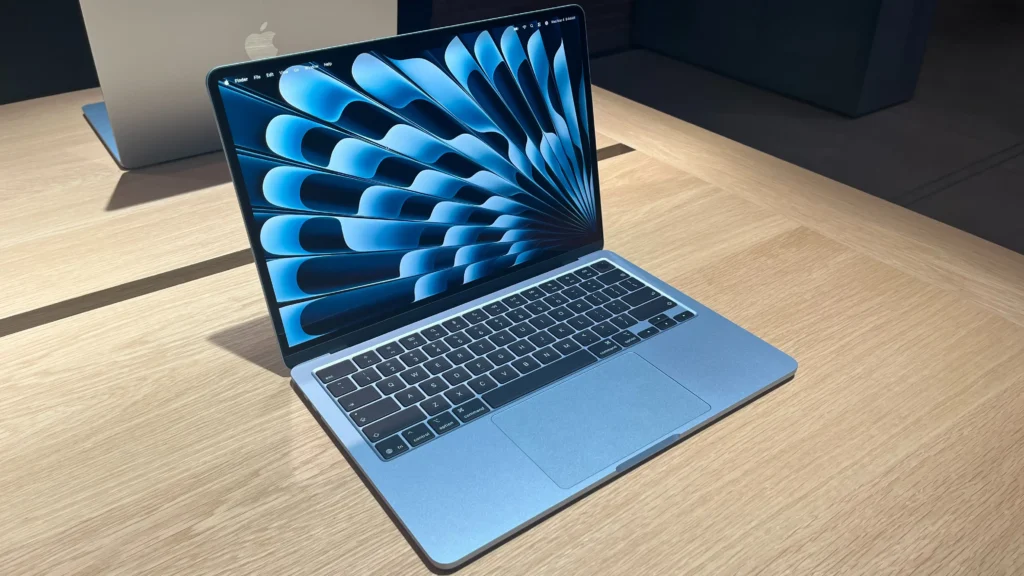
Confirm application, plug-in, and peripheral support before choosing macOS. The Air’s fanless design also deserves consideration for sustained rendering. Include external storage and adapters in the final budget.
Matching Specs to Your College Course
General Education, Education, and Business
For research, presentations, and spreadsheets, prioritize portability, keyboard comfort, and battery life. 8GB RAM remains a basic starting point, while 16GB offers better multitasking headroom. Integrated graphics usually suit these workloads.
Accountancy students should confirm required Excel features and accounting software compatibility. A numeric keypad may help frequent spreadsheet work. Check the actual keyboard layout before deciding.
IT and Computer Science
Choose a Core i5/Ryzen 5-class processor, 16GB RAM, and 512GB SSD. Favor expandable memory for virtual machines and Android emulators. Larger development environments may justify 32GB RAM and additional storage.
Dedicated graphics become relevant for game development, local AI workloads, and certain visualization tasks. They are not essential for every programming course. Obtain your department’s software list before spending extra.
Engineering and Architecture
Ask about AutoCAD, Revit, SolidWorks, rendering engines, and required plug-ins. Follow the Revit 2026 system requirements when assessing compatible hardware. Its 16GB minimum for simple projects leaves larger workloads needing further consideration.
For substantial models, consider 32GB RAM, suitable graphics, and dependable cooling. Check software-specific GPU requirements rather than assuming any RTX laptop qualifies. Verify operating-system compatibility before choosing a Mac.
Multimedia and Film
Prioritize memory, display color accuracy, storage capacity, and supported hardware acceleration. Basic editing differs significantly from complex 4K timelines with multiple effects. Match the laptop to the project workload.
A compatible M-series MacBook Air can suit mobile editing. Windows dedicated-GPU laptops offer another route for supported effects and rendering. Compare the full workflow, including external drives, monitors, and software costs.
| Budget Tier | Recommended Specs | Top PH Picks | Ideal Course/Use Case |
|---|---|---|---|
| ₱20K–₱29K | Core i3/Core 3/Ryzen 3; 8GB; 256GB–512GB NVMe; IPS | Qualifying IdeaPad 1, Aspire 3/15, HP 14 | Research, documents, basic academics |
| ₱30K–₱45K | Core i5/Core 5/Ryzen 5; 16GB; 512GB NVMe; IPS | Vivobook 15/16, Aspire Go/Lite, Slim 3, MateBook D 14/16 | Business, programming, multitasking |
| ₱48K–₱65K+ | Suitable performance CPU; 16GB–32GB; dedicated GPU where required | LOQ 15, TUF A15, Aspire 7; compatible M-series Air | CAD, BIM, multimedia, rendering |
Section 4: Smart Buying Checklist for Philippine Stores
Compare Mall Retailers and Online Flagship Stores
Request quotations from PC Express, Silicon Valley, Octagon, VillMan, and official brand stores. Compare identical model codes, software bundles, and warranty terms. Calculate the complete installment cost instead of focusing on monthly payments.
Mall purchases let you assess keyboards, screens, hinges, and carrying weight. Online purchases may offer vouchers or better pricing. Verify seller identity, return procedures, and shipping arrangements before ordering.
Verify the Licensed Microsoft Office Bundle
Check whether the unit includes pre-installed, licensed Microsoft Office Home & Student or Office Home 2024. This bundle can provide substantial value in Philippine retail packages. Ask the seller to identify the exact edition.
Distinguish a perpetual Office license from a trial or Microsoft 365 subscription. Microsoft 365 Basic alone does not include the full desktop Office application suite. “Office installed” does not prove ownership of a legitimate license.
Activate bundled software through your own Microsoft account. Confirm that the entitlement appears correctly before leaving the store. Check school-provided licensing before paying for additional software.
Inspect the Actual Unit and Warranty
Before accepting the laptop:
- Match the serial number across the unit, box, and invoice.
- Check hinges, casing, keyboard, screen, and ports.
- Inspect solid-color screens for dead or stuck pixels.
- Test Wi-Fi, webcam, microphone, speakers, and charger.
- Confirm CPU, memory, storage, and display specifications.
- Verify Philippine warranty coverage and registration procedures.
Ask about battery coverage, service-center locations, and repair arrangements. Obtain written return and replacement terms. Confirm how authorized upgrades affect warranty coverage.
⚠️ Warning: Avoid unauthorized gray-market resellers offering unclear Philippine warranty coverage. Never skip inspection of hinges, dead pixels, and official brand warranty registration. Engineering students should also consider gaming laptops weighing 2.2kg–2.5kg or more, before adding chargers and textbooks. That daily commute burden deserves serious consideration.
💡 Pro-Tip: Set aside part of your budget for protection and backups. A padded sleeve and reliable backup storage protect coursework that hardware specifications cannot replace.
Conclusion: Buy for Your Course, Commute, and Budget
For most Filipino students, 16GB RAM, a 512GB SSD, and an IPS screen provide a sensible foundation. Specialized courses may require stronger graphics, more memory, and additional spending. Verify those requirements before committing your family’s budget.
Choose the complete configuration, check the warranty, and inspect the actual unit. Share your course, budget, and quoted model code in the comments. Share this guide with another student or parent preparing to buy wisely.