Posts in Software Troubleshooting

PLDT Internet Slow or Not Working? Troubleshooting Guide for Home Users

Why Is Your PLDT Internet Slow or Not Working? Nothing disrupts your day faster than a slow or unreliable internet connection. You’re attending a Zoom meeting when your connection suddenly drops. Perhaps Netflix keeps buffering, or websites take forever to load. Worse, your laptop displays “Connected, No Internet,” even though your Wi-Fi signal looks perfectly normal. If your PLDT internet is slow, don’t immediately assume your internet service provider has a network problem. Your modem, Wi-Fi coverage, connected devices, or background downloads could be responsible. Sometimes, one laptop experiences connection… Read More

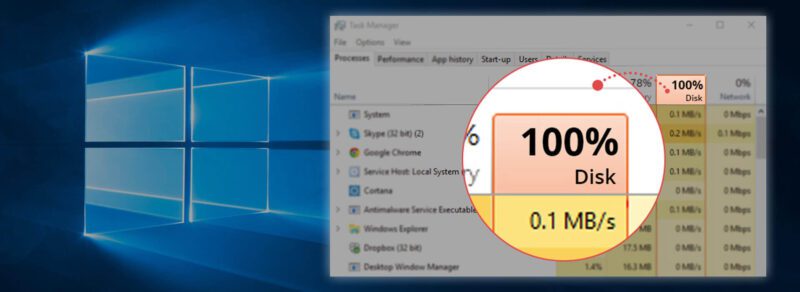
How to Fix 100% Disk Usage in Windows 11 Without Reinstalling

Is your Windows 11 computer running painfully slow, even when you barely have any applications open? You open Task Manager and discover your disk usage stuck at 100%. Applications take forever to launch, File Explorer freezes, and even basic tasks become frustrating. Fortunately, you can often fix 100% disk usage in Windows 11 without reinstalling the operating system. This problem commonly affects older computers with mechanical hard drives, although SSD-based systems can experience it too. Windows constantly reads and writes data while running background services, installing updates, and managing virtual… Read More

10 Hidden Windows 11 Settings That Instantly Make Your PC Faster

Does your Windows 11 computer take forever to start? Perhaps File Explorer responds slowly, or applications freeze during ordinary tasks. Before spending money on additional RAM or a new SSD, take a closer look at your Windows 11 settings. Many computers run unnecessary applications and background processes that consume valuable system resources. Windows also includes visual effects, indexing services, and power management features that affect responsiveness. These features serve useful purposes. However, their default configurations don’t always match how you use your computer. I’ve seen computers struggle simply because too… Read More

How to Fix Windows 11 Audio App Crashes (Dolby AC-3 Filter Bug in KB5124010)

Many users encounter a frustrating Windows 11 audio bug following recent system installations. Specifically, Microsoft released patch KB5124010 to improve overall operating system stability. However, this update introduced an unexpected conflict with multimedia applications. Consequently, thousands of programs crash instantly upon launching audio playback. Furthermore, this glitch targets specific legacy audio decoders. Users report sudden application closures whenever media players load surround sound codecs. Therefore, troubleshooting requires a precise examination of the underlying system files. Experts at Microsoft Support acknowledge various playback anomalies. Meanwhile, community forums buzz with user complaints… Read More

Fix AMD Radeon Driver Crashes From Windows 11 KB5124008

Microsoft recently rolled out cumulative updates for Windows 11 systems worldwide. Shortly after, PC gamers began reporting severe AMD Radeon Graphics Driver Crashes. You might launch your favorite game and encounter an instant desktop crash. Alternatively, your monitor screen might freeze completely during heavy system workloads. These stability issues usually stem directly from the Windows 11 KB5124008 update fix process gone wrong. Windows Update often overwrites official AMD display drivers with generic, outdated Microsoft drivers. Consequently, this driver conflict triggers immediate system crashes, severe frame drops, and frustrating display stuttering…. Read More

How to Fix Windows 11 KB5121003 Stuttering & Frame Drops

Welcome back to Technical Forum. Millions of PC users recently installed the latest system patch. Specifically, players encountered widespread Windows 11 KB5121003 stuttering right after rebooting. Consequently, demanding games suffer from sudden visual hiccups. Furthermore, many users report persistent KB5121003 frame drops during intense combat sequences. Therefore, our community needs a reliable solution immediately. Microsoft releases monthly patches to enhance security. However, these updates frequently introduce unforeseen bugs. Therefore, gamers experience severe performance degradation across various hardware setups. Fortunately, you can restore smooth frame rates with several targeted tweaks. Read… Read More

How to Fix High RAM Usage in Windows 11 System Webview Containers (WebView2 Memory Leak)

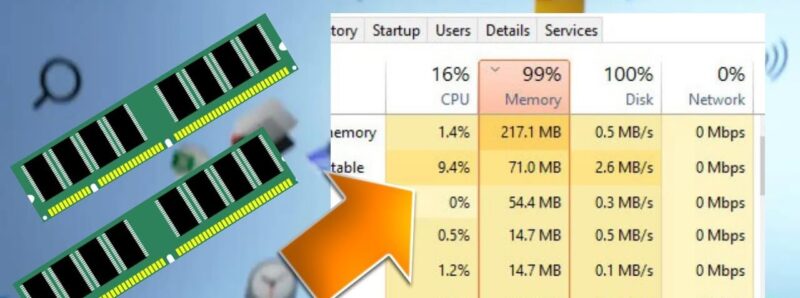
Is your computer running sluggishly because of an unexpected background process? High system memory consumption frustrates users daily. Furthermore, many modern desktop applications rely heavily on embedded browser engines to display web content. Consequently, a hidden WebView2 memory leak can consume your available system resources rapidly. Microsoft designed this framework to render web components efficiently. However, software bugs frequently trigger runaway background processes. Therefore, you must fix high RAM usage quickly to restore desktop performance. In this comprehensive troubleshooting guide, we examine why Windows 11 system webview containers consume excessive… Read More

Fix Bluetooth LE Audio Lag and Audio Sync Issues on Windows 11

Bluetooth Low Energy (LE) Audio represents a massive leap forward for wireless sound performance. The technology promises low latency, improved power efficiency, and superior sound quality via the LC3 codec. However, many early adopters face frustrating Bluetooth audio desync and severe Windows 11 latency during playback. Videos lag behind dialog, and competitive gaming becomes almost unplayable due to delayed sound effects. These sync issues usually stem from driver incompatibilities, outdated firmware, or misconfigured Windows audio settings. Fortunately, you can fix these frustrating lag issues with a few systematic adjustments. This… Read More

Windows 11 August Update (KB5101684) Adds Native AI Model Uninstall Options and File Explorer Tweaks

Microsoft recently deployed the cumulative preview update, officially labeled as Windows 11 KB5101684 for OS builds 26100.8973 and 26200.8973. Consequently, users running versions 24H2 and 25H2 can immediately access dozens of system refinements. Most notably, this release delivers a long-awaited File Explorer update Windows 11 power users have requested for years. Additionally, Microsoft introduces modular control over background system components across desktop environments. You can review official deployment parameters directly on the Microsoft Support portal. Furthermore, this release addresses system performance, biometric protection, and power management across modern laptops. Historically,… Read More

How to Fix Windows 11 Taskbar Icons Freezing or Disappearing After Sleeping

Few things disrupt a smooth desktop session faster than a frozen Windows 11 taskbar. You wake up your computer from sleep mode, ready to jump back into work. Suddenly, you notice that your pinned app icons have vanished entirely. Alternatively, the icons remain visible on your screen, but clicking them yields absolutely no response. This frustrating issue ranks among the most common post-sleep glitches in modern systems. Microsoft regularly updates the operating system, yet persistent power state bugs continue to affect desktop users worldwide. Fortunately, you do not have to… Read More