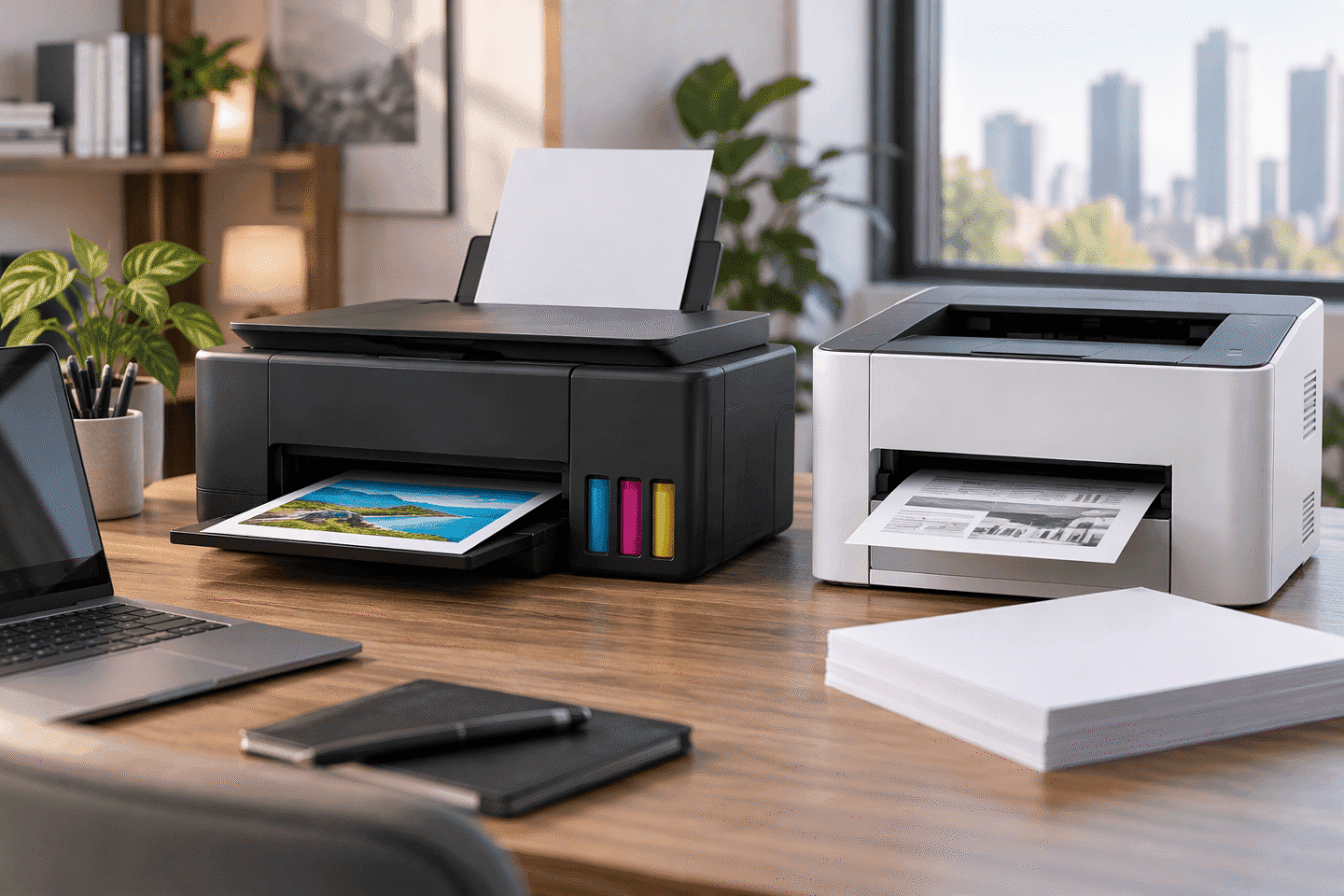
The Hidden Cost of a ₱2,500 Printer
A ₱2,500 cartridge printer looks like a bargain until you price the first refill. PC Express listed genuine HP 682 cartridges at ₱715 each, or ₱1,430 for a black-and-color pair. The black cartridge is rated for about 480 pages and the color cartridge for about 150 pages. These ratings come from separate tests, so use them to compare supplies with similar ratings.
Add two replacement pairs and that ₱2,500 printer costs ₱5,360. VillMan listed the refillable Epson EcoTank L121 at ₱5,495. Your first refill date will depend on how much you print and what comes in the box. Still, the math shows why the cartridge price belongs in your budget from day one.
For weekly modules, worksheets, and color projects, start with an ink tank. For black-and-white invoices, contracts, or forms with months between batches, start with a monochrome laser. If you only print a few pages each term, compare the cost of buying either printer with your local print shop.
Ink Tank vs. Laser: Speed, Running Costs, and Maintenance
Ink tank pros and cons
- Pros: Genuine refill bottles often fit a ₱300–₱450 per bottle budget. An Epson black bottle listed at ₱310, with a 4,500-page rating, works out to about ₱0.07 per rated black page. Ink tanks also handle color diagrams, classroom materials, and casual photos on suitable paper.
- Cons: The featured ink tanks print at about 9–16 images per minute (ipm) in black. As a rough ink budget, allow ₱0.08–₱0.15 per black page and ₱0.25–₱0.40 per color page. Photos, dense graphics, and cleaning cycles can raise costs. Paper costs extra.
⚠️ Warning: Watch for the “idle ink trap.” If you print only once every two or three months, microscopic printhead nozzles can dry out and clog. That can happen in a warm Philippine room, especially near a sunny window. A severe clog can mean costly printhead service or replacement. For infrequent black-and-white printing, a toner-based laser is the safer buy.
Monochrome laser pros and cons
- Pros: The three main laser picks in this guide run at 20–30 pages per minute (ppm) on A4. That speed helps when you print a stack of handouts. Dry toner produces sharp black text and eliminates the risk of dried ink clogging a printhead.
- Cons: These models print in black and white, and genuine toner can cost more per page than bottled ink. Starter toner can also yield fewer pages than a replacement. Compare the in-box yield and replacement yield before choosing between two sale prices.
Best Budget Ink Tank Printers in the Philippines
Print-only picks around ₱4,500–₱5,500
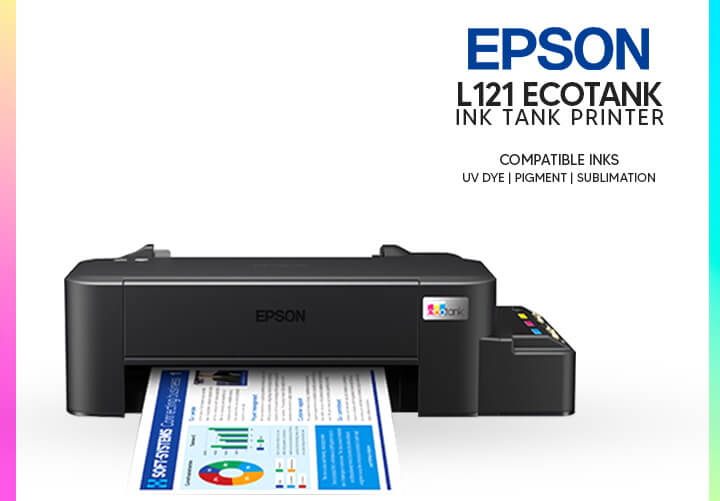
Epson EcoTank L121 — ₱5,495–₱5,500 listed. This USB model suits a student who prints reports from one computer and can scan elsewhere. Epson rates its 664 ink for 4,500 black and 7,500 composite color pages. Check the model name before buying refills. The similarly named L1210 uses a different bottle. Compare the Epson Philippines ink tank lineup.
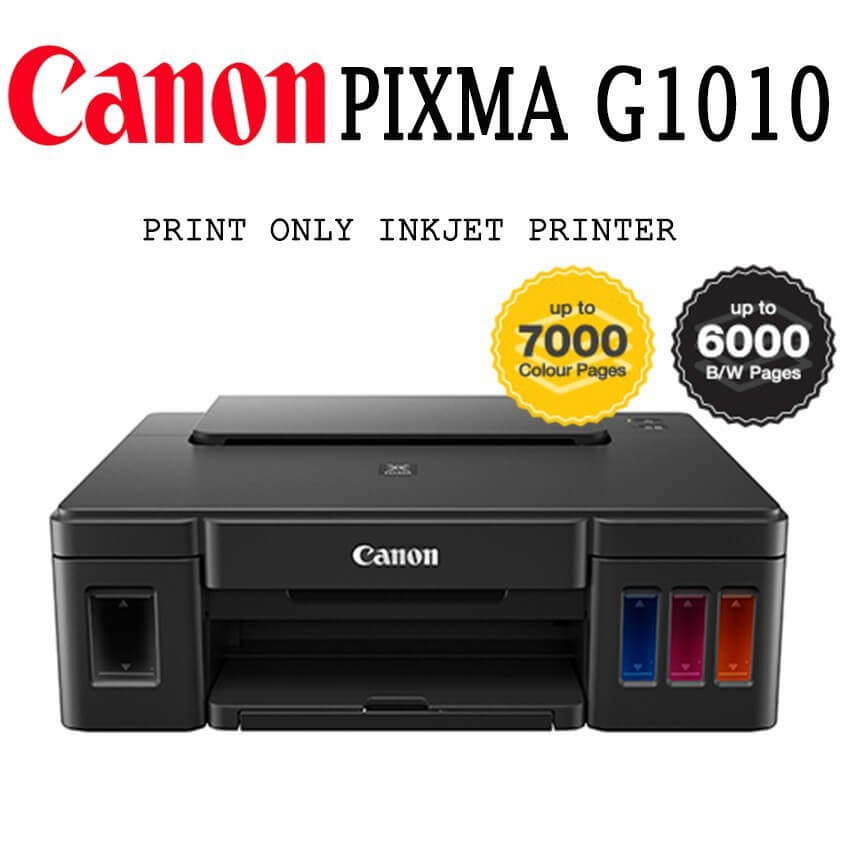
Canon PIXMA G1010 — ₱4,495 suggested retail price. This USB model supports borderless printing up to A4. Its GI-790 ink is rated for 6,000 black and 7,000 color pages. Check branch stock and driver support for your computer before buying. You can compare models in the Canon Philippines PIXMA inkjet lineup.
Print, scan, and copy picks from ₱7,950–₱10,200
Epson EcoTank L3210 / L3250 — ₱8,800 / ₱10,200 listed. Both use Epson 003 ink, rated for 4,500 black and 7,500 composite color pages. The L3210 connects over USB. The L3250 adds Wi-Fi and Wi-Fi Direct, which makes it easier to share.
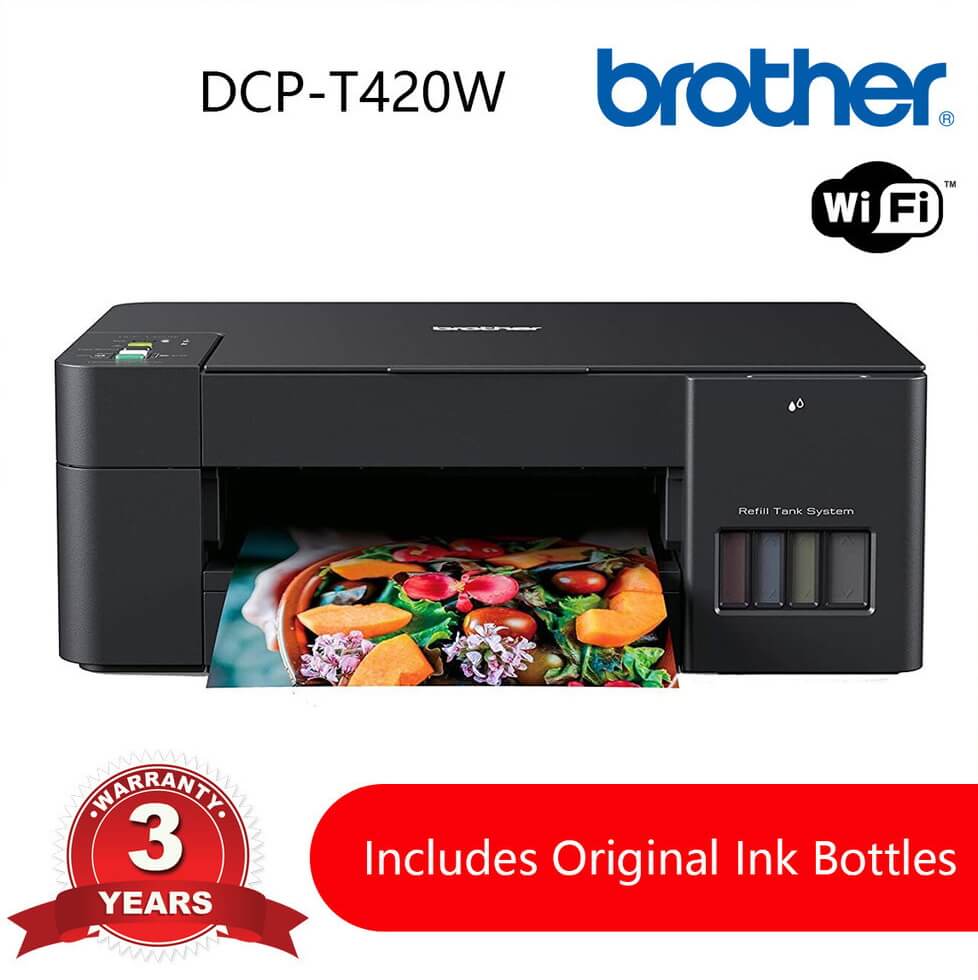
Brother DCP-T420W — ₱8,350 listed. This wireless option suits teachers and families, with rated yields of 7,500 black and 5,000 color pages. Test Brother Mobile Connect on your phone or tablet. If you print from an iPad, check the app workflow because this model lacks AirPrint.
Canon PIXMA G3010 — ₱7,950 listed. This wireless three-in-one uses GI-790 ink rated for 6,000 black and 7,000 color pages. Canon Philippines lists macOS as unsupported, so households that print from a Mac should choose another model.
🎯 Pro-Tip: A ₱1,500–₱2,000 allowance for mobile printing can save time if modules and receipts usually arrive on your phone. The L3250 was listed at ₱1,400 more than the USB L3210. With a compatible app, the L3250 or DCP-T420W can print from an Android phone or iPad without transferring files to a laptop. Ask the store to demonstrate with your device.
Best Budget Laser Printers in the Philippines
Start with a ₱5,500–₱10,500 shopping budget for a basic monochrome laser. Ask for the price of the printer and its first genuine toner replacement together. A compact wireless model can cost more than that target, depending on local stock.
Brother HL-L2321D for automatic two-sided printing
The Brother HL-L2321D is worth considering if you can get a local quote under ₱7,500. That is a buying target pending a confirmed local price. This USB print-only model reaches 30 ppm on A4 and supports automatic duplex printing. Brother lists Letter, Legal, and Folio for automatic duplex in the Philippines. Bring a sheet of your usual 8.5 × 13-inch long bond and ask for a test.
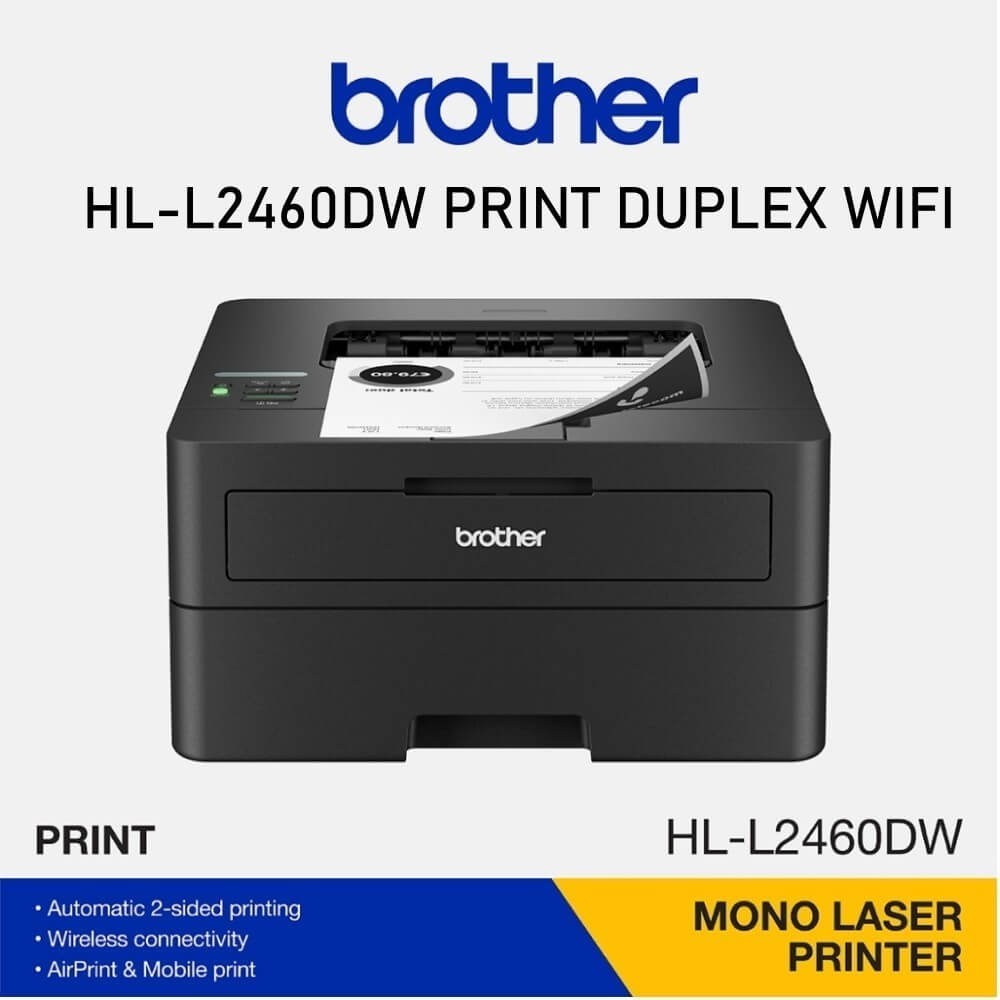
If local stock is scarce, the Brother HL-L2460DW was listed at ₱9,490 by Brother Philippines. It adds Wi-Fi and retains automatic duplex. Ask the seller to confirm the included toner yield. Compare both options through the Brother Philippines printer lineup.
Pantum P2500W and HP LaserJet M111w for compact Wi-Fi setups
- Pantum P2500W — ₱11,440 in one Philippine marketplace listing. It offers Wi-Fi, USB, and 22 ppm on A4. Standard replacement toner yields about 1,600 pages. Ask the seller for the exact local toner code because Pantum’s cartridge codes vary by region.
- HP LaserJet M111w — local quote needed. This compact 20 ppm model supports 2.4 GHz Wi-Fi, Wi-Fi Direct, and USB. HP’s 7MD68A datasheet lists about 500 pages for the starter cartridge and 975 pages for genuine 150A replacement toner. Confirm the exact printer and toner codes when comparing the HP Philippines LaserJet lineup.
Compare genuine toner and drum costs
Brother’s TN-2380 high-yield toner is rated for 2,600 pages. One Philippine retailer listed it at ₱3,190, or about ₱1.23 per rated page before paper and drum costs. The separate DR-2355 drum is rated for roughly 12,000 pages at one page per job. Get a local quote for the drum and include it in your comparison.
An all-in-one toner cartridge includes the drum, so you replace both together. A separate-drum design lets you replace the toner while the drum still has life left. Compare cost per rated page with all required supplies included, especially if you print enough to replace the drum during ownership.
Smart Buying Checklist and Maintenance Traps
- Get a quote for the exact model. Check Octagon, Silicon Valley, VillMan, official brand flagship stores, or the PC Express Philippines printer catalog. Ask the branch to confirm stock, the local warranty, and the final price.
- Test your real setup. Print a PDF from your Android phone, iPad, or computer. If you use long bond paper, check print, scan, copy, and duplex support individually. A printer may feed a sheet that its scanner or duplex mechanism cannot handle.
- Check the supplies in the box. Write down the starter yield, genuine replacement code, and replacement price. For a laser, ask whether the drum is a separate purchase.
- Keep ink moving. Run a quick nozzle check or print one small color test page every one to two weeks during idle periods. Use the printer’s power button and wait for shutdown before unplugging. This gives the printer time to cap its printhead.
⚠️ Warning: Keep cheap, unbranded refill ink out of a brand-new printer. Ink with the wrong viscosity can disrupt flow and clog piezoelectric or thermal printheads. Non-genuine ink can affect printhead coverage or lead to a denied warranty claim. Check the terms for your exact Epson, Brother, or Canon Philippines model. Genuine Epson bottles were listed at ₱310–₱320 and are rated for thousands of pages.
Budget printer comparison at a glance
| Printer model | Type | Functions | Approx. PH price | Best for |
|---|---|---|---|---|
| Epson EcoTank L121 | Ink tank | Print only, USB | ₱5,495–₱5,500 | Student reports and worksheets |
| Canon PIXMA G1010 | Ink tank | Print only, USB | ₱4,495 RRP | Basic color and borderless printing |
| Epson EcoTank L3210 | Ink tank | 3-in-1, USB | ₱8,800 | Print, scan, and copy from one computer |
| Epson EcoTank L3250 | Ink tank | 3-in-1 + Wi-Fi | ₱10,200 | Shared family printing |
| Brother DCP-T420W | Ink tank | 3-in-1 + Wi-Fi | ₱8,350 | Teachers and households |
| Canon PIXMA G3010 | Ink tank | 3-in-1 + Wi-Fi | ₱7,950 | Wireless color printing and copying |
| Brother HL-L2321D | Mono laser | Print only, USB, auto duplex | Under ₱7,500 target | Two-sided documents |
| Brother HL-L2460DW | Mono laser | Print only + Wi-Fi, auto duplex | ₱9,490 | Shared two-sided printing |
| Pantum P2500W | Mono laser | Print only + Wi-Fi | ₱11,440 listed | Compact wireless setup |
| HP LaserJet M111w | Mono laser | Print only + Wi-Fi | Local quote needed | Occasional black-text jobs |
Prices are Philippine listing examples or manufacturer suggested prices. Confirm current branch stock and pricing before buying.
Conclusion
Buy an ink tank for weekly schoolwork or color printing. Pay for Wi-Fi and a scanner if several people share the printer. Choose a monochrome laser if months can pass between black-text jobs, and prioritize automatic duplex if you regularly print long documents.
Before paying, compare the printer price plus the first genuine refill. Found a better local deal? Share the model, store, and price in the comments so other buyers can compare.