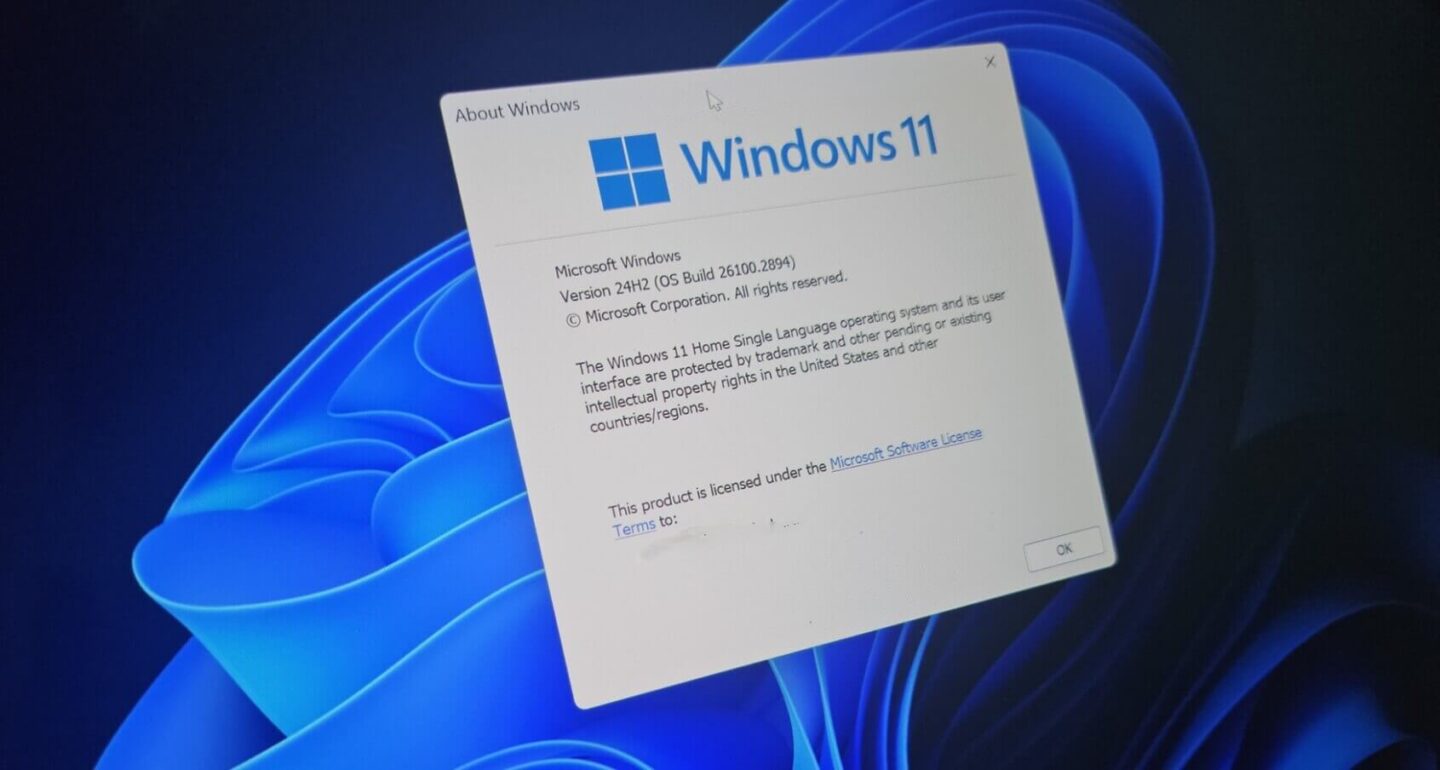
Microsoft just issued an urgent security warning for millions of desktop setups worldwide. Consequently, the tech giant confirms that Windows 11 version 24H2 will reach its absolute end of support this coming October. Therefore, administrators must act immediately to prevent unexpected operational exposures across their corporate networks.
To clarify, this upcoming support termination specifically impacts early testers, enterprise environments, and specialized licensing models. Meanwhile, standard consumers might wonder how this quick lifecycle cycle directly affects their daily PC operations. However, this official notice signals an aggressive posture from Microsoft regarding mandatory system lifecycle transitions.
Furthermore, standard installations of this operating system variation require immediate administrative oversight and upgrade planning. Consequently, delaying deployment schedules will expose internal corporate digital infrastructure to highly sophisticated modern exploit packages. Thus, understanding the precise timelines helps technical decision-makers mitigate unnecessary operational disruption across enterprise networks.
Historically, Microsoft maintains operating system support cycles for at least twenty-four consecutive months. Surprisingly, specific targeted updates and corporate preview builds face much faster deprecation milestones. Therefore, users must review their exact software version strings using built-in system configuration tools right now.
Understanding the Absolute End of Support Milestone
To begin with, the phrase absolute end of support carries severe operational meaning for systems engineering teams. Specifically, it means Microsoft will completely halt all security patches, functional bug fixes, and emergency vulnerability remediation. Consequently, unpatched systems will remain permanently exposed to emerging zero-day vulnerabilities discovered after the October deadline.
Moreover, malicious actors actively target enterprise setups running outdated build numbers after public support declarations drop. Because of this, staying on deprecated software represents a massive compliance hazard for modern data-driven organizations. Therefore, compliance auditors will flag systems running this specific configuration during upcoming regulatory reviews.
Additionally, third-party software developers simultaneously drop technical support for operating systems that Microsoft officially abandons. For instance, top-tier antivirus suites and enterprise database tools will refuse installation routines on unsupported platforms. Thus, your entire production stack faces immediate instability if your underlying endpoint architecture remains unpatched.
⚠️ WARNING: Operating an unsupported Windows build destroys your regulatory compliance framework. Hackers scan networks specifically for expired build versions to deploy damaging ransomware payloads instantly.
Why Windows 11 Version 24H2 Faces This Critical Deadline
Crucially, we must analyze why this specific milestone occurs so rapidly for particular system deployments. Initially, Microsoft launched early iterations of Windows 11 version 24H2 to specific hardware deployment tracks. Consequently, those initial deployment validation systems have now exhausted their pre-determined technical lifespan metrics.
Furthermore, Microsoft utilizes these specific lifecycles to force corporate environments onto newer, hardened ecosystem baselines. Therefore, this lifecycle strategy ensures that all active users run the absolute latest security architecture. Consequently, IT professionals must align their local update servers with the current Microsoft Windows Release Health Portal directives.
In addition, keeping legacy development builds active increases engineering overhead for modern cloud-integrated software environments. Hence, removing older codebases allows Microsoft engineers to focus entirely on advanced generative AI feature integrations. Consequently, the company can deliver more stable updates to modern desktop configurations globally.
Similarly, corporate teams running specialized hardware platforms must examine their device profiles immediately. Because certain early validation editions contain specific kernel structures, they require unique upgrade pathways. Therefore, checking your deployment infrastructure ensures that your managed devices receive consistent monthly feature adjustments.
Immediate Operational Risks for Unpatched Systems
First and foremost, the primary danger centers on automated exploit packages circulating across the dark web. As a result, standard network firewalls cannot fully protect machines that contain unpatched kernel level vulnerabilities. Therefore, a single compromised endpoint can compromise your entire internal domain structure within mere minutes.
Secondly, software performance drops significantly when a configuration misses core platform service upgrades. Specifically, cloud synchronization tools and identity management platforms require modern underlying system API architectures to function. Thus, your staff will experience frequent application crashes and authentication errors during daily workflows.
💡 PRO-TIP: Utilize advanced orchestration platforms like Microsoft Intune to audit your entire network inventory instantly. This automated discovery allows you to isolate vulnerable builds before the October deadline arrives.
Thirdly, data loss becomes a highly probable scenario when running deprecated operating system builds. Because modern backup utilities require active operating system verification, legacy builds eventually lose cloud synchronization features. Therefore, critical corporate information could become unrecoverable during a local hardware malfunction.
Finally, insurance providers frequently deny coverage claims if a business experiences a breach on unsupported software frameworks. Consequently, your organization could face catastrophic financial liabilities due to a simple unpatched system build. Therefore, immediate patching acts as an essential shield for your corporate balance sheet.
Step-by-Step Transition Guide for IT Administrators
Fortunately, upgrading your infrastructure to a fully supported ecosystem configuration remains straightforward with proper planning. Initially, administrators must generate a comprehensive hardware compatibility report across all active network nodes. For detailed specifications, consult the official Windows 11 Hardware Requirements Page right away.
Next, deploy localized caching servers to optimize the delivery of modern software packages across remote offices. Consequently, this deployment choice prevents local internet connections from choking during massive simultaneous data transfers. Therefore, your branch offices will maintain optimal productivity during the background system migration process.
Subsequently, configure your group policy settings to mandate system reboots after patch installations conclude. Because many core kernel modifications require a full power cycle, updates remain incomplete until a restart occurs. Thus, scheduling these reboots during midnight maintenance windows prevents unnecessary employee downtime.
Furthermore, verify that all custom line-of-business applications function correctly on the newer destination operating system version. To achieve this, establish an isolated testing group composed of diverse computer hardware models. Consequently, your deployment team can resolve minor driver conflicts before executing the wide-scale corporate migration.
Lastly, document every phase of the migration to maintain clean records for future security audits. If some legacy machines fail the upgrade path, segregate them into isolated VLAN architectures immediately. Therefore, you protect the core corporate network while you systematically replace aging hardware components.
The Evolution of Windows 11 Servicing Channels
To understand the broader picture, we must examine how Microsoft manages modern servicing tracks. Specifically, the tech company uses distinct channels like the General Availability Channel and the Long-Term Servicing Channel. Consequently, each channel carries unique support durations that dictate your organizational hardware upgrade cycles.
Moreover, understanding these differences prevents your infrastructure team from miscalculating critical software expiration dates. For instance, standard consumer editions receive updates far differently than specialized enterprise deployment configurations. Therefore, keeping a matrix of active builds ensures long-term operational safety for your business data.
Additionally, modern updates utilize advanced delta compression technologies to reduce download sizes across corporate networks. For more insight on optimization, check the Microsoft Windows IT Pro Blog regularly. Consequently, this modern architecture allows systems to remain secure without exhausting expensive cloud bandwidth allocations.
Evidently, Microsoft intends to accelerate the cadence of operating system changes moving into the future. Therefore, static multi-year deployment plans no longer serve the security needs of modern digital enterprises. Ultimately, adopting an agile servicing approach represents the only viable path forward for corporate computing.
Hardware Compliance and Modern Architecture Needs
Significantly, modern builds of Windows require advanced hardware security modules like Trusted Platform Module 2.0. Consequently, older machines cannot simply bypass these strict hardware validation checks during standard update installations. Therefore, organizations must budget for cyclical hardware refreshes to maintain modern security postures.
Furthermore, new processor families include hardware-level optimizations designed specifically for advanced artificial intelligence workflows. For explicit details on supported chips, read the Microsoft Processor Support Documentation immediately. Thus, upgrading your hardware architecture simultaneously boosts employee productivity through faster computing performance.
In addition, modern solid-state storage devices are now mandatory for hosting updated operating system architectures. Because older mechanical drives cannot handle the fast input-output operations, legacy hardware causes severe performance bottlenecks. Therefore, upgrading your storage systems guarantees a fluid user experience across your corporate environment.
Concurrently, ensuring your system firmware remains updated prevents installation failures during the operating system transition. Specifically, old motherboard configurations frequently reject modern security handshakes during the boot phase. Therefore, flash your system BIOS to the latest vendor version before executing upgrade scripts.
Impact on Remote and Hybrid Work Environments
Equally important is managing the transition for employees operating outside traditional office perimeters. Because remote workers connect via varied internet service providers, push updates require careful bandwidth orchestration. Therefore, forcing massive downloads without warning can disrupt critical client operations during peak business hours.
Consequently, utilizing cloud-based distribution points allows remote staff to download updates directly from nearby data centers. To explore cloud management tools, review the Microsoft Endpoint Management Solutions platform. This strategy removes the strain from your internal corporate virtual private network infrastructure entirely.
Moreover, remote endpoints remain highly vulnerable if they miss critical monthly security patches. Because these devices interact with untrusted home networks, they require absolute platform resilience against local threats. Therefore, implementing strict conditional access policies blocks non-compliant devices from accessing sensitive corporate applications.
Final Thoughts & Conclusion
In conclusion, the impending October deadline for Windows 11 version 24H2 leaves no room for administrative hesitation. Therefore, organizations must pivot immediately toward updating their endpoint fleets to modern, supported operating system revisions. Ultimately, proactive lifecycle management remains the most effective defense against the evolving global threat landscape.
By executing a structured migration plan, you eliminate security blind spots and improve general system performance. Furthermore, your enterprise will enjoy seamless compatibility with upcoming software releases and cloud service innovations. Thus, view this urgent Microsoft warning as an excellent opportunity to modernize your digital workplace infrastructure.
Now, we want to hear from you regarding your organization’s readiness for this upcoming support change. Have you encountered any specific hardware blockers while preparing your corporate network for the upgrade? Share your thoughts, strategies, and questions in the comments section below to spark a helpful community discussion!