The digital landscapes change quickly. Consequently, some foundational tools linger for a remarkably long time in enterprise environments. However, every technology eventually reaches its final boundary line. This week brought the definitive arrival of that boundary line for a resilient enterprise tool. Microsoft officially terminated all remaining support for SharePoint Designer 2013 on July 14, 2026. Therefore, this milestone implements a final security cutoff that ends an era of custom web authoring. Furthermore, this critical change means the tech giant will no longer issue important software patches. Specifically, administrators will receive no further standard bug fixes or vulnerability updates. As a result, organizations using this legacy application must immediately shift to modern alternatives. Thus, proactive planning will help teams avoid massive, unmitigated digital infrastructure risks.
This decisive move concludes a multi-year deprecation roadmap from Microsoft. Indeed, the tech giant carefully planned this phase-out of archaic collaboration architectures. The tool originally launched over a decade ago alongside the classic SharePoint Server 2013 platform. At the time, it successfully democratized advanced site customization. Specifically, it allowed power users and site administrators to create complex low-code automations. In addition, developers built bespoke user interfaces with the application. Nevertheless, the rapid evolution of secure cloud computing transformed this desktop tool into a liability. Subsequently, the server-side removal of the underlying workflow architecture in April 2026 foreshadowed this retirement. Consequently, enterprise technology administrators must now recognize that the program is officially a major security hazard.
Understanding the Broader Microsoft Lifecycle Context
To understand this shift, we must examine the broader timeline of Microsoft lifecycle changes. For years, the Redmond company sustained support for older tools to protect enterprise investments. However, maintaining backward compatibility creates immense overhead for engineering teams. Therefore, the developer structured a phased retirement plan across several product generations. For instance, Microsoft Server Support lifecycles indicate that SharePoint Server 2016 and 2019 reached their end-of-support deadlines on the exact same day. Additionally, the classic InfoPath 2013 application shared this identical July 14 termination date. These synchronized retirements signal a massive, clean break from the old server-centric paradigms. Consequently, IT managers must view this event as a holistic modernization mandate.
Furthermore, the company executed a critical server-side change earlier this year. Specifically, the team completely disabled the SharePoint 2013 workflow engine within existing Microsoft 365 tenants. That major April milestone effectively broke classic cloud-based automations. However, the desktop design client survived for a few more months. During this brief grace period, it only connected to on-premises environments like SharePoint Server Subscription Edition. Now, the arrival of July 14 eliminates that remaining use case completely. Thus, the software has officially entered the final phase of product abandonment. As a result, users can no longer expect any assistance from official technical channels.
⚠️ WARNING: Continued operation of this application after the security cutoff exposes your corporate intranet to unpatched vulnerabilities. Malicious actors frequently target legacy design tools to gain unauthorized access to internal document repositories.
Technical Risks of Ignoring the Security Cutoff
Operating unsupported desktop applications introduces catastrophic security threats to corporate networks. First, hackers constantly scan enterprise environments for known, unpatched vulnerabilities. Because Microsoft will no longer patch this tool, it becomes an easy entry point. For example, malicious actors often exploit remote code execution flaws in unmaintained software. If an employee opens a compromised file, attackers could seize control of the entire workstation. Subsequently, they can pivot deeper into the corporate intranet to steal sensitive data. Therefore, leaving the software installed on employee devices creates a massive corporate vulnerability. Security teams must prioritize the immediate removal of this application to maintain proper compliance.
In addition, operational instability poses a serious threat to daily business operations. Modern operating systems like Windows 11 receive frequent feature updates. Consequently, these system updates often break the underlying code of older applications. Since the design utility lacks modern software optimization, it will experience frequent crashes. Furthermore, compatibility with newer data protocols will degrade rapidly over time. When errors occur, database administrators cannot open support tickets with Microsoft. Thus, workflows built with this tool will become increasingly brittle and difficult to manage. Ultimately, relying on obsolete infrastructure guarantees costly operational downtime for the enterprise.
The Path Forward: Migrating to Modern Alternatives
Fortunately, modern enterprise platforms offer superior alternatives for workflow automation and design. Microsoft Power Automate serves as the direct successor for old workflow processes. This robust cloud platform provides hundreds of pre-built connectors for modern applications. Furthermore, it enables citizen developers to build complex logic without writing code. For advanced visual customizations, teams should adopt Microsoft Power Apps instead. This platform delivers rich, mobile-friendly interfaces that outperform old master pages. Therefore, migrating to these modern systems dramatically improves overall organizational agility. Indeed, companies gain better security controls, deep analytics, and seamless cloud integration.
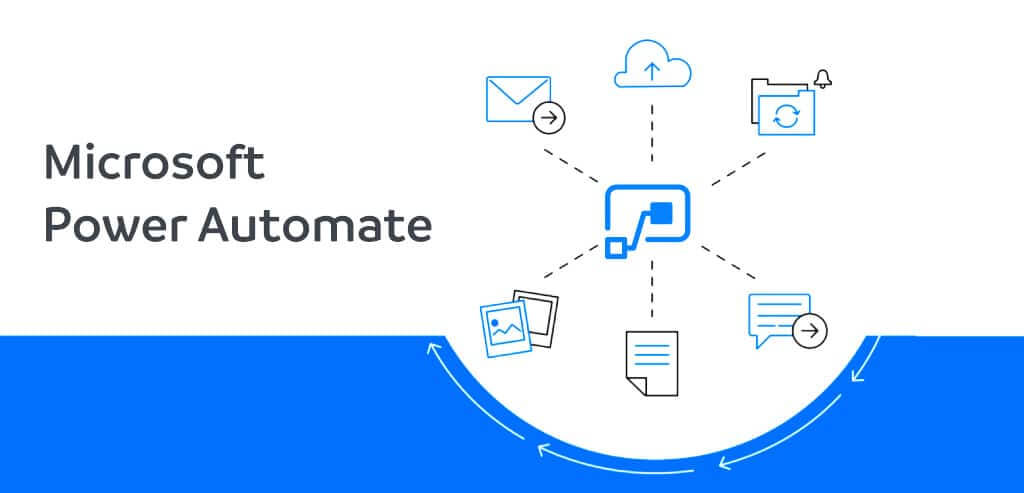
However, migrating complex legacy systems requires a structured, deliberate approach. First, IT departments must perform a comprehensive discovery phase using automated scanning tools. Specifically, the official Microsoft Assessment Framework helps identify active legacy workflows. After discovering these assets, administrators should categorize them by business importance. Next, developers can systematically rebuild these processes within the Power Platform. Although the transition requires initial effort, the long-term operational benefits are massive. Consequently, forward-thinking organizations view this deadline as a catalyst for digital transformation. By embracing modern tools, enterprises safeguard their data while boosting employee productivity.
💡 PRO-TIP: Use the SharePoint Migration Tool (SPMT) to inventory your current site assets. This utility simplifies the detection of legacy components and maps out a cleaner transition path to the cloud.
Deep Dive into Legacy Workflow Architectures
To fully appreciate the scope of this transition, we must evaluate legacy workflow structures. For years, companies relied on the older declarative engine to manage daily approvals. These processes dictated how documents moved through corporate libraries and lists. However, the old platform lacked the flexibility required for modern cross-platform integrations. Therefore, developers often wrote complex workarounds to connect external databases. These custom scripts increased technical debt across the entire server farm. Now, the final cutoff completely invalidates these convoluted design patterns. Consequently, organizations must redesign their core logic to fit modern API-driven architectures. This modernization ensures that data flows smoothly between diverse enterprise cloud applications.
In addition, the retirement affects how teams manage site branding and layout. Previously, designers used the tool to edit master pages directly in production. This practice often caused unexpected rendering errors across corporate portals. Furthermore, it bypassed traditional development lifecycles and quality assurance checks. Modern web governance strictly forbids editing live environments in this manner. Instead, modern SharePoint frameworks utilize structured deployment pipelines and native web parts. As a result, sites become more secure, stable, and responsive on mobile devices. Thus, abandoning the old desktop utility forces companies to adopt safer publishing standards.
The On-Premises Caveat and Technical Exceptions
Interestingly, Microsoft provided a minor exception for specific on-premises environments. Customers using SharePoint Server Subscription Edition can still execute older workflows. Specifically, they can use professional developer tools like Visual Studio to edit these processes. However, this alternative approach requires advanced technical skills and specialized training. Average site administrators will find this method far too complex for daily tasks. Furthermore, this exception does not apply to the deprecated design client application. Therefore, the client software remains completely unsupported regardless of the connected server type. IT leaders must not misinterpret this server capability as an extension for the tool.
Moreover, relying on these specialized developer workarounds introduces long-term strategic risks. Because Microsoft focused all future investments on the new Workflow Manager, older architectures are dead. Engineering teams will not add new features to the legacy execution frameworks. Consequently, the technical gap between on-premises systems and cloud features will widen. Eventually, even the underlying server support will conclude in future product releases. Thus, delaying the inevitable migration only compounds the final transition costs. Proactive enterprises are using this moment to abandon on-premises hosting entirely. Instead, they are migrating workloads directly to the fully managed cloud environment via Microsoft 365 Cloud Services.
Governance and Compliance Implications
From a compliance perspective, the retirement creates major challenges for regulated industries. Financial, healthcare, and government institutions must follow strict data protection laws. These regulations often prohibit the use of software that lacks active vendor support. If an auditor discovers unsupported applications on corporate networks, they will issue severe penalties. Therefore, keeping the application active risks violating standards like GDPR or HIPAA. To maintain compliance, compliance officers must verify the absolute removal of the tool. They must also document the modern alternatives that replace legacy business automations. Consequently, software removal is a legal necessity rather than an optional IT task.
Additionally, modern cloud governance requires comprehensive visibility into all active automated workflows. Legacy systems often operated in silos, hidden from central IT oversight. This lack of visibility created shadow IT hazards across large corporate environments. Fortunately, the modern cloud environment provides powerful administrative dashboards for complete monitoring. Central teams can now track every active automation from a single console. They can also enforce strict data loss prevention policies across all connectors. Thus, moving away from old authoring tools significantly enhances corporate data security. Ultimately, this transition empowers governance teams to manage digital assets more effectively.
Training and Upskilling the Enterprise Workforce
Transitioning to new technology also requires an investment in human capital. For over a decade, many employees built their entire skill sets around the old tool. These power users understand the specific quirks and tricks of the legacy interface. Consequently, they may feel hesitant to embrace completely new design concepts. To ease this transition, organizations must provide comprehensive retraining programs. Specifically, training should focus on the low-code capabilities of the modern cloud platform. By empowering employees with modern skills, companies accelerate their digital transformation goals. Indeed, workers quickly discover that modern tools are much easier to use.

Furthermore, upskilling employees fosters a culture of continuous innovation within the company. When workers master modern automation tools, they can optimize their own daily workflows. They no longer need to rely heavily on central IT for basic tasks. This shift reduces the operational burden on specialized development teams. As a result, IT professionals can focus on high-impact strategic initiatives. Therefore, the retirement of legacy software serves as a springboard for organizational growth. By modernizing both tools and skills, businesses remain highly competitive in the digital age. Ultimately, this proactive approach transforms a technical challenge into a major strategic advantage.
Final Thoughts: Securing a Cloud-First Future
The definitive retirement of this classic application marks the end of a legendary era. For years, it served as a faithful workhorse for custom enterprise collaboration solutions. However, the demands of modern cybersecurity and cloud computing require superior architectures. We must now look forward and fully embrace modern, cloud-native automation platforms. The July 14, 2026 deadline represents an urgent call to action for all global administrators. By dismantling obsolete software, companies eliminate severe security vulnerabilities from their networks. They also unlock the vast potential of modern digital transformation workflows. Therefore, let us celebrate the past but decisively build a more secure future.
Ultimately, technology lifecycles remind us that adaptation is essential for long-term survival. Organizations that cling to archaic tools risk falling behind their more agile competitors. Conversely, businesses that proactively modernize their infrastructure gain a significant operational edge. The final security cutoff is not merely a technical deadline; it is a strategic milestone. Now is the time to audit your environments, remove old code, and empower your teams. Explore the modern alternatives today to ensure your business continuity remains completely uninterrupted. By taking immediate action, you secure your infrastructure against the evolving threats of tomorrow.
Join the Technical Forum Community!
What is your strategy for handling the final retirement of this legacy tool? Are you rebuilding your systems in Power Automate or moving entirely to the cloud? Let us know your migration successes and obstacles in the comment section below! Please share this comprehensive analysis with your system administration networks to spread the word about this critical security deadline.