
Managing your money requires complete clarity and total privacy. Traditional budgeting apps often collect sensitive personal financial data. Furthermore, third-party cloud services store your bank details on external servers. You can eliminate these security risks by using modern AI tools. Google built Google NotebookLM to act as a localized knowledge engine. You can build a custom, highly secure private AI personal finance dashboard using this grounded environment.
NotebookLM processes only the documents you upload directly. As a result, the system creates a walled garden around your financial files. The underlying AI language model analyzes your bank statements, debt plans, and savings logs instantly. Moreover, it never trains on your confidential personal records. Consequently, you gain full control over your private budget tracking system. You also enjoy the speed of an intelligent AI assistant. This comprehensive guide walks you through every setup step cleanly.
Why Use Google NotebookLM for Financial Tracking?
Standard AI models often generate incorrect calculations. In contrast, NotebookLM relies strictly on source-grounded intelligence. The system answers questions using only the exact files you upload. Therefore, you eliminate hallucinated numbers from your financial reports.
Data privacy serves as another major advantage. Google does not use your uploaded sources to train its public models. Thus, your transaction logs remain private and secure. Furthermore, you can export your records anytime without restrictive platform lock-ins.
| Feature | Generic AI Tools | Google NotebookLM |
| Data Privacy | Often uses chats for model training | Keeps uploaded sources strictly isolated |
| Accuracy | May invent hallucinated numbers | Grounded solely on uploaded documents |
| Cost | Frequently requires paid monthly tiers | Completely free via a standard Google Account |
| Source Tracking | Rarely cites specific data points | Inlines direct citations for every figure |
Preparing Your Financial Documents
Proper preparation guarantees smooth data parsing. You must gather your raw financial documents before uploading them. Most banking institutions provide downloadable statements in PDF or CSV formats.
First, collect your monthly bank statements from the past quarter. Next, download your credit card summaries and investment reports. Convert raw spreadsheet files into clean PDF or Google Docs formats. NotebookLM ingests these structured document formats seamlessly.
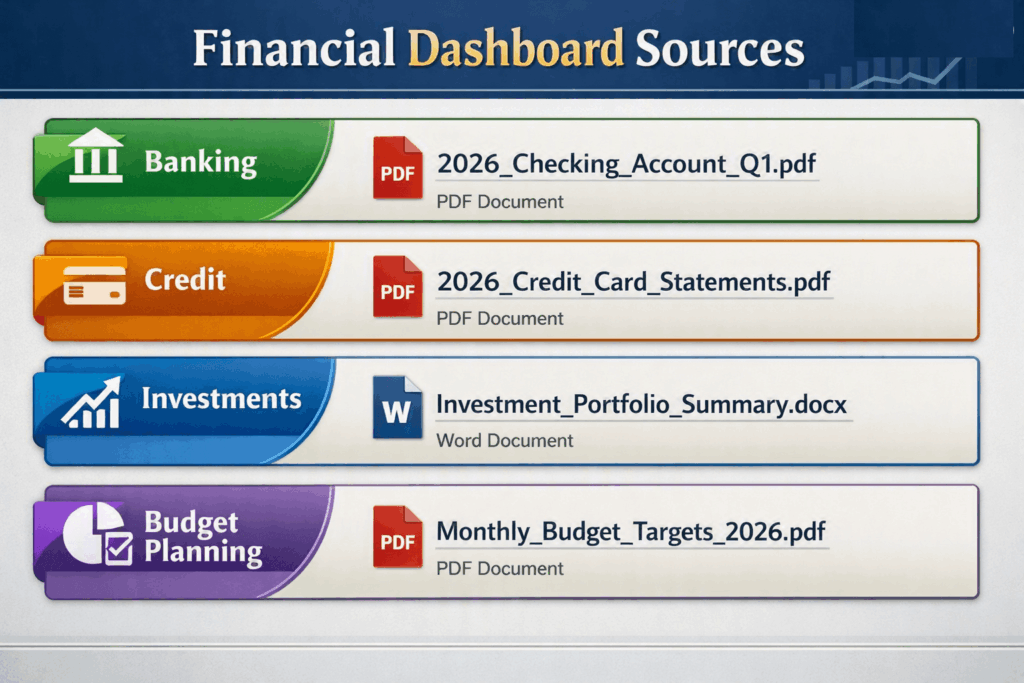
Organize all target documents inside a single folder on your desktop. Remove unnecessary marketing pages or boilerplate legal fine print from bank PDFs. Consequently, you save processing memory and speed up search queries. Clean source files produce accurate dashboard metrics.
⚠️ Warning: Remove sensitive identity details before uploading files. Delete your Social Security Number, home address, and full bank account numbers from PDFs. Keep only the transaction dates, descriptions, and monetary amounts.
Step-by-Step Dashboard Setup
1. Create a Dedicated Notebook:Prerequisite: A standard Google Account.
Navigate to the Google NotebookLM Homepage. Sign in using your preferred Google credentials. Click the New Notebook button on your main dashboard. Rename the project to Personal Finance Dashboard.
2. Upload Your Cleaned Sources:
Click the Add Sources button inside your new notebook workspace. Drag and drop your prepared financial PDFs and Google Docs into the upload window. Wait briefly while the system processes your documents.
3. Configure the Master Summary Notes:
Click the Add Note button inside the central canvas area. Title this note Master Financial Summary. Ask NotebookLM to extract total income, total fixed expenses, and total variable debts across all sources. Pin this note for quick access.
4. Build Custom Financial Prompts:
Use the chat input bar at the bottom of the workspace. Type specific analytical queries to calculate net savings, identify spending patterns, and track budget leaks. Save high-value responses directly as persistent workspace notes.
Structuring Effective Financial Prompts
The power of your dashboard depends on your prompt structure. You must write clear, direct instructions to extract actionable insights. Generic queries yield vague overviews.
For example, ask for exact numerical breakdowns instead of general summaries. Request structured Markdown tables to compare monthly expenses across different spending categories.
Core Analytical Prompts
- Category Breakdown: “Analyze my uploaded credit card statements. Group all transactions into Housing, Food, Utilities, and Entertainment. Present the totals in a Markdown table.”
- Budget Leak Detection: “Identify recurring subscription payments across all bank statements. List the vendor name, monthly cost, and payment frequency.”
- Cash Flow Check: “Compare total deposits against total withdrawals across all quarterly statements. What is my net savings rate?”
💡 Pro-Tip: Save your most effective queries inside a pinned source note named Saved Prompts. You can reuse these commands instantly whenever you upload new monthly statements.
Analyzing Cash Flow and Identifying Trends
Once you upload your sources, you can run advanced AI financial analysis queries. Ask the system to compare spending habits across different months. NotebookLM will cross-reference your checking account files against your credit card statements automatically.
You can spot hidden subscription charges quickly. Request a list of all recurring payments under twenty dollars. Frequently, forgotten streaming services or unused digital apps drain your monthly budget. The dashboard highlights these small leaks instantly.
Furthermore, you can evaluate your emergency fund status. Ask the system to calculate your average monthly expenses across all quarters. Then, request the exact cash reserve required to cover six months of essential living costs. You get instant mathematical clarity grounded directly in your real statements.
Creating Dynamic Visual Summaries and Studio Content
NotebookLM offers powerful note-formatting tools to organize your dashboard. You can group key metrics into clean visual sections. Convert complex chat outputs into persistent notes with a single click.
Additionally, use the built-in Audio Overview features inside NotebookLM. The platform generates natural-sounding spoken summaries of your uploaded files. You can listen to an automated five-minute financial briefing during your morning walk.
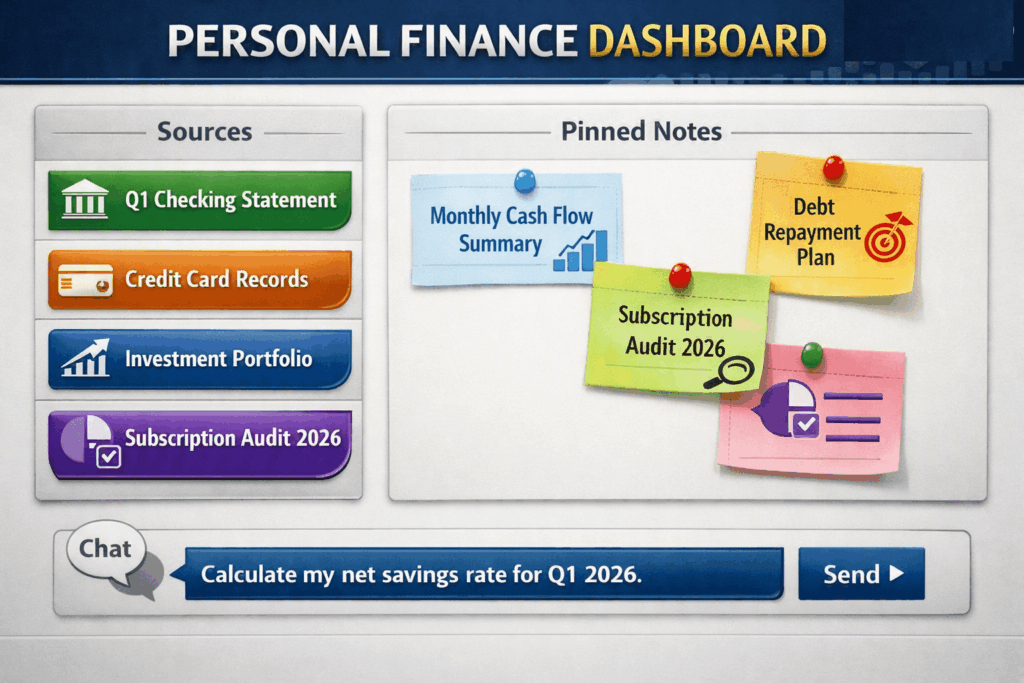
Organize your main canvas using clear topic blocks. Keep your overall personal budget automation rules visible on screen. Reviewing your financial dashboard weekly ensures consistent progress toward your long-term wealth goals.
Maintaining Data Privacy and Security
Security remains the central pillar of secure financial management. Although Google NotebookLM isolates your workspace, you should practice good digital hygiene. Never store raw passwords or banking PINs inside your uploaded documents.
Always store offline backup copies of your financial files on a secure external device. Explore open-source privacy frameworks on the Electronic Frontier Foundation website to learn more about digital self-defense. Additionally, read through the official Google Privacy Policy to understand how cloud platforms manage user workspace boundaries.
Regularly remove outdated statement files from your notebook project. Keep only current-year data inside active notebooks to optimize retrieval speed. Store historical archives inside password-protected offline drives.
Final Thoughts
Building a private AI personal finance dashboard gives you high-speed insights without sacrificing data privacy. You retain complete ownership over your confidential banking details. Meanwhile, grounded AI handles the heavy document processing and calculation tasks for you.
Setting up your workspace takes less than fifteen minutes. Gathering your source documents takes even less time. Start organizing your accounts today to take total control over your financial future.
What privacy-focused setup do you use for tracking your money? Have you tested NotebookLM for organizing financial documents yet? Share your thoughts and setups in the comments below!