
Smart home automation demands fast response times and strict data privacy. Relying on cloud-based artificial intelligence introduces internet latency and exposes your personal data to third-party servers. Fortunately, you can host an intelligent voice assistant directly inside your living room using compact computer hardware. In this comprehensive technical guide, we will configure the Llama 3.2 3B large language model on a local system. We will optimize your system configurations to build an ultra-responsive, offline smart home control center.
Using local hardware ensures your home automation infrastructure remains functional during unexpected internet service outages. When you run a model on premises, you entirely eliminate recurring monthly subscription fees and strict API token limits. Smaller edge models excel at interpreting conversational commands and translating human intents into structured automation actions. Meta designed this specific three-billion parameter model to balance exceptional instruction-following capabilities with extremely lightweight hardware demands. Let us explore the optimal server parameters required to turn a standard small form factor machine into a private automation hub.
Choosing Your Mini PC Hardware
Executing real-time inference on a small system requires careful attention to the underlying system hardware components. You do not need a massive, power-hungry desktop tower with a dedicated graphics card to handle a three-billion parameter architecture. Instead, modern low-power mini computers offer an ideal compromise between physical footprint and compute throughput. However, memory bandwidth remains the single largest bottleneck during CPU-based large language model execution.
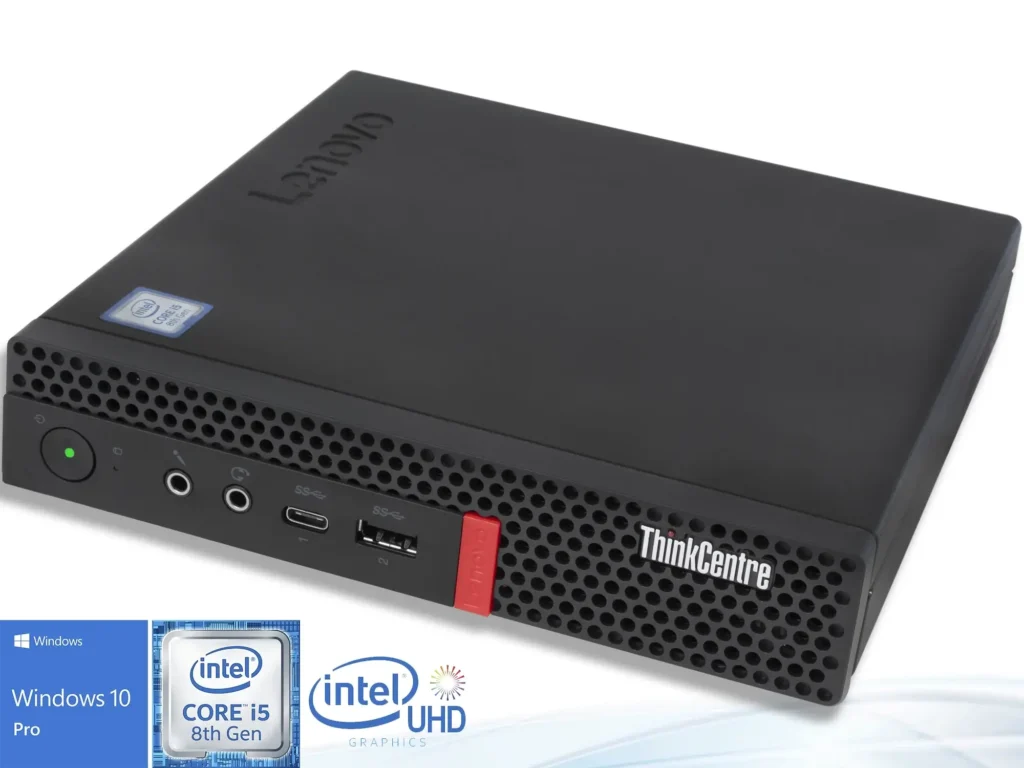
For the smoothest experience, select a system equipped with an AMD Ryzen 5 or Intel Core i5 processor containing at least six physical cores. Ensure your system utilizes dual-channel RAM configurations because single-channel memory layouts will slash your processing speeds in half. While a standard eight-gigabyte memory kit can technically load the network files, allocating sixteen gigabytes provides comfortable operational headroom. This extra capacity allows your computer to run the background operating system, your core smart home orchestration platforms, and the neural network concurrently. Additionally, an enterprise-grade solid-state drive will drastically reduce the initial model load times upon startup.
+-------------------------------------------------------+
|                 Your Mini PC Hardware                 |
+-------------------------------------------------------+
                           |
                           v
+-------------------------------------------------------+
|              Ollama Local AI Framework                |
+-------------------------------------------------------+
                           |
                           v
+-------------------------------------------------------+
|         Model Context & Custom Parameters             |
+-------------------------------------------------------+
         /                                   \
        v                                     v
+------------------------+          +-------------------+
| Smart Home Integration |          | JSON Output Logic |
+------------------------+          +-------------------+
Installing and Deploying Ollama
Setting up your backend software engine takes less than five minutes thanks to the highly efficient Ollama project architecture. This open-source framework abstracts the complex lower-level library configurations into a simple background service wrapper. The software automatically detects your host CPU extensions, including AVX2, to maximize mathematical matrix calculations without manual configuration.
To begin deployment, open your command terminal and execute the official platform installation script. If you utilize a Linux distribution or host your tools within a containerized ecosystem, paste the following command to download the binaries:
Bash
curl -fsSL https://ollama.com/install.sh | shAfter completing the core installation, download the base instruction-tuned neural network from the central repository. Run the following pull instruction to save the quantized model variables directly onto your local disk:
Bash
ollama pull llama3.2Optimizing the Modelfile Parameters
The default operational settings inside the framework target generic, open-ended chat interactions rather than strict home automation control loops. For smart home integration, you must enforce deterministic text responses and limit unnecessary memory consumption. We accomplish this optimization objective by constructing a customized configuration manifest known as a Modelfile.
Create a new file named Modelfile in your working directory and add the custom configuration instructions displayed below:
Dockerfile
FROM llama3.2

# Set deterministic behavior for reliable automation execution
PARAMETER temperature 0.0
PARAMETER seed 42

# Optimize memory usage for low-power edge computers
PARAMETER num_ctx 2048
PARAMETER num_predict 256
PARAMETER num_thread 4

SYSTEM """
You are a private smart home voice assistant. You accept natural language commands and convert them into precise JSON automation actions. Never write conversational conversational filler or explanations.
"""
💡 Pro-Tip: Always match the num_thread parameter exactly to the number of physical CPU cores in your machine. Over-allocating threads to hyper-threaded logical cores actually introduces execution latency due to cache contention.
Understanding Key Parameter Tweaks
To maximize performance, you must understand exactly how these parameter modifications alter the underlying inference behavior on constrained hardware. The temperature option controls the creative variability of the generated output text. Setting this variable to absolute zero forces the network to select the highest-probability tokens every time. This rigidity eliminates erratic behavior, ensuring the engine consistently generates valid automation syntax instead of conversational prose.
+-------------------------------------------------------------------+
|                     PARAMETER CONFIGURATIONS                      |
+-------------------------------------------------------------------+
|   Parameter   |  Value  |                 Purpose                 |
+---------------+---------+-----------------------------------------+
| temperature   |   0.0   | Enforces predictable, repeatable rules  |
| num_ctx       |  2048   | Conserves memory on compact systems     |
| num_predict   |   256   | Stops infinite text loops instantly     |
+-------------------------------------------------------------------+
Furthermore, restricting the context memory size via the num_ctx command saves massive amounts of system memory. While the underlying model natively supports up to 128,000 tokens, smart home smart command strings rarely exceed a few hundred words. Limiting this window to 2,000 tokens preserves your precious hardware resources for other critical services. Finally, the num_predict parameter caps the maximum output length, preventing the system from entering infinite generation loops if a syntax parsing error occurs.
Connecting to Smart Home Integration Platforms
Once your custom model is built, you must establish a communication bridge to your central home automation broker. The most reliable method involves leveraging the Home Assistant core framework alongside a custom conversation component. This configuration allows you to pass exposed smart entity registries directly into the language model container as a structured system context.
Alternatively, you can utilize the native Ollama API documentation standards to send incoming voice transcripts via standard HTTP POST endpoints. Your localized home server handles the raw text payload, processes the intent locally, and routes the generated commands to your appliances. This decoupling keeps your smart home completely independent of external corporate cloud systems.
JSON
{
  "model": "home-assistant-llama",
  "prompt": "Turn off the living room lights and lock the front door.",
  "stream": false
}
+-------------------------------------------------------------------+
Validating System Control Output
To test your optimized engine, save your configuration settings and compile your updated localized automation container. Run the building process by executing this simple command in your system terminal:
Bash
ollama create home-assistant-llama -f ./ModelfileNow, pass a live text inquiry to your newly created custom engine to verify that the output formatting adheres to your strict JSON instructions. Test the response model using this command structure:
Bash
ollama run home-assistant-llama "It is getting dark in the kitchen area"JSON
{
  "action": "turn_on",
  "device": "light.kitchen_overhead",
  "brightness": 80
}
⚠️ Warning: Never expose your local instance port directly to the public internet without proper authentication layers. Unauthorized users could easily exploit unauthenticated access ports to control your physical home security hardware.
Final Thoughts
Running a three-billion parameter model on a miniature computer provides an exceptional combination of speed, absolute privacy, and ironclad reliability. By implementing strict temperature controls and optimizing thread allocations, you turn a generic conversational bot into a highly specialized home automation engine. This localized approach ensures your private data stays exactly where it belongs—inside your own home.
Are you ready to build a completely private, cloud-free smart assistant configuration today? Drop a comment below if you run into any setup challenges, or share your custom system parameters with our community. Do not forget to share this article with fellow self-hosting enthusiasts to help them reclaim their digital privacy.