The modern enterprise meeting room has evolved rapidly, but this digital transformation brings sophisticated security challenges. Because remote work requires seamless collaboration, external vendors and partners constantly stream into corporate video calls. Consequently, uninvited automated assistants often slip through the cracks, which exposes confidential corporate discussions to third-party data harvesters. To address this growing threat, Microsoft Teams has officially launched an advanced security framework. The tech giant is replacing its legacy CAPTCHA challenge with an intelligent, background automated system.
This major upgrade introduces a silent, AI-driven bot detection mechanism for external meeting joins. Instead of forcing humans to solve tedious puzzles, Microsoft Teams now utilizes hidden infrastructure analysis. This silent AI-driven bot detection system works entirely behind the scenes, so legitimate users face zero friction. Meanwhile, unauthorized automated note-takers are caught instantly. By deploying behavioral modeling alongside traditional security protocols, the platform effectively stops uninvited web bots. This new feature establishes a robust baseline of protection, which ensures corporate privacy remains intact.
The Death of CAPTCHA: Why Microsoft Teams Is Overhauling Meeting Access
For years, IT administrators relied heavily on standard verification checks to safeguard virtual rooms from automated intrusion. However, legacy CAPTCHA puzzles frequently frustrated external clients and slowed down critical business operations. Because these traditional tests demand active user participation, they introduce unnecessary friction during high-stakes corporate calls. Furthermore, modern AI recorders have grown sophisticated enough to bypass basic visual challenges entirely. Microsoft recognized that old verification models could no longer protect sensitive communications. Therefore, the tech giant chose to deprecate the old verification check policy in favor of a silent AI-driven bot detection framework.
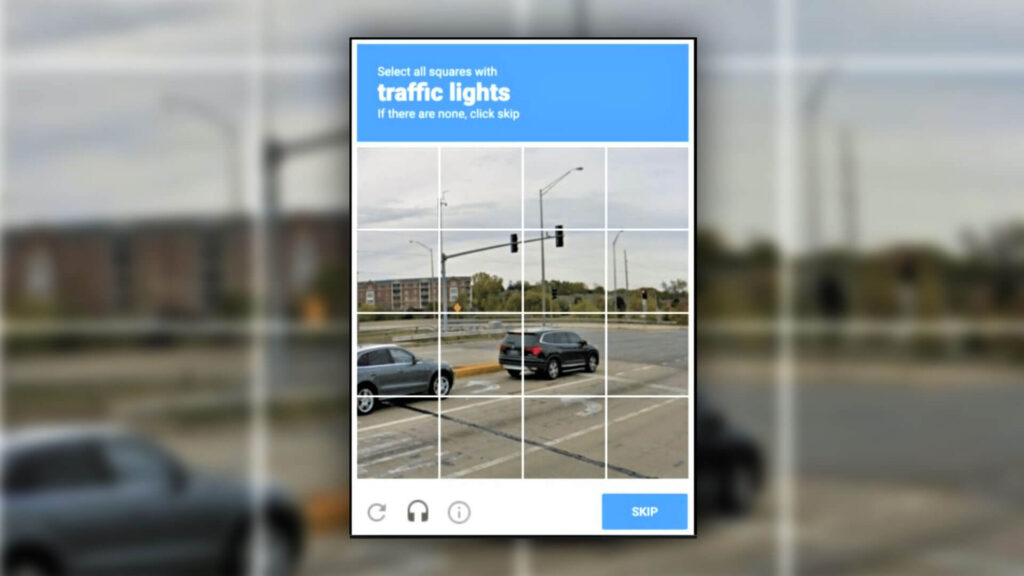
By shifting toward an automated security approach, the platform eliminates tedious entry barriers for human participants. Consequently, users no longer need to type distorted text or click matching images to prove their identity. This silent AI-driven bot detection mechanism analyzes access requests instantly, which drastically improves the overall user experience. While humans enjoy a completely seamless entry process, background algorithms actively scrutinize every single incoming connection. This fundamental architectural change marks a massive leap forward for enterprise communication security. It ensures that robust protection never compromises daily workforce productivity.
How Silent, AI-Driven Bot Detection Tracks Unauthorized Corporate Intruders
The newly deployed silent AI-driven bot detection framework operates on a multi-layered verification architecture. Instead of waiting for a user to make a mistake, the software constantly monitors subtle incoming connection indicators. Specifically, Microsoft Teams evaluates deep behavioral signals and specific infrastructure markers during the initial handshake. This means the system examines packet origin, connection speed, and browser configurations simultaneously. Because automated scripts display rigid, mechanical communication patterns, the underlying AI easily distinguishes them from organic human activity.
[External Join Request]
          │
          ▼
┌────────────────────────────────────────────────────────┐
│  Microsoft Teams Silent AI-Driven Bot Detection        │
│  - Analyzes Infrastructure & Behavioral Signals        │
└─────────────────────────┬──────────────────────────────┘
                          │
            ┌─────────────┴─────────────┐
            ▼                           ▼
   [Human/Registered Bot]       [Unregistered Bot]
            │                           │
            ▼                           ▼
    (Grouped: Waiting)         (Grouped: Suspected Threats)
            │                           │
            ▼                           ▼
   [Standard Lobby Entry]      [Mandatory Organizer Review]
                                - No One-Click Admit
                                - Safety Confirmation Prompts
Additionally, Microsoft is launching the official Teams Bot Identification Program to support independent software vendors. This program allows compliant third-party developers to embed distinct self-identification markers into their software. When an external participant utilizes a verified note-taking app, Teams instantly recognizes the authorized tag. Consequently, the platform can safely separate legitimate productivity tools from malicious, rogue scraping programs. This continuous, background assessment happens within milliseconds, which keeps the entry pipeline perfectly optimized.
Total Administrative Control: Navigating the New Teams Admin Center Policies
IT administrators can fully customize these new security behaviors directly within the updated Teams Admin Center. A brand-new policy option, titled Manage external bots and their access to meetings, is now available for global deployment. Within this specialized interface, administrators can choose between two primary operational modes depending on corporate risk tolerance:
- When detected, require approval before joining: This default option activates the silent AI-driven bot detection system. It automatically intercepts suspicious connections and routes them to a secure holding area.
- Do not detect bots: This setting completely disables background scanning. It allows all external entities to enter meetings according to standard lobby rules.
⚠️ Warning: Disabling the bot detection policy exposes your organization to severe data leakage risks. Rogue AI assistants can silently record conversations, copy chat transcripts, and store proprietary data on insecure external servers without your explicit consent.
To ensure comprehensive enforcement, Microsoft allows administrators to push these policies via the Set-CsTeamsMeetingPolicy PowerShell cmdlet. This ensures that large enterprises can instantly standardize security settings across thousands of global users simultaneously.
Re-engineering the Meeting Lobby: Separating Humans from Suspected Threats
When the silent AI-driven bot detection engine flags an unverified entity, the meeting lobby dynamics change immediately. Instead of mixing all waiting attendees into a single, confusing list, Teams splits the lobby into two distinct categories. Legitimate human participants and verified applications appear under the Waiting section. Conversely, any unmapped automated tools are isolated under a stark Suspected threats header. This clear visual grouping allows organizers to spot potential compliance risks at a single glance.
Furthermore, Microsoft has completely removed the traditional one-click admission option for any entity flagged as a bot. If an organizer attempts to admit a suspected threat, the application triggers a mandatory confirmation dialogue box. This prompt explicitly reminds the host about the inherent privacy risks of allowing external recorders into the session. Even if an organizer accidentally clicks “Admit All,” the platform halts the process to display an explicit warning screen. These deliberate interface barriers ensure that no rogue script can slip into a confidential boardroom conversation by mistake.
💡 Pro-Tip: Optimizing Enterprise Meeting Security
To maximize your meeting privacy, always configure the “Who can admit from lobby” setting to “Only Organizers and Co-organizers.” This strict configuration prevents standard presenters or external guests from accidentally bypassing security warnings and admitting rogue bots.
Furthermore, compliance teams should establish a routine schedule to monitor official Microsoft 365 Audit Logs. These system logs track exactly when bots attempted to join, which organizers admitted them, and which tools were rejected. If the AI-driven system occasionally misclassifies a legitimate human guest as a bot, do not panic. Organizers can easily click the “This is not a bot” option during admission to instantly correct the designation. Microsoft regularly triages these manual corrections to continually refine and train its global behavioral detection models.
Final Thoughts on Microsoft’s Intelligent Security Update
The retirement of legacy CAPTCHA challenges marks a pivotal moment in the ongoing evolution of corporate workplace collaboration. By replacing clunky user puzzles with silent AI-driven bot detection, Microsoft successfully balances robust enterprise security with optimal user accessibility. This sophisticated background scanning model effectively neutralizes unauthorized automated tools while maintaining a completely frictionless environment for legitimate corporate guests. As artificial intelligence tools become deeply woven into daily workflows, these proactive infrastructure defenses are absolutely critical for modern corporate data protection.
How does your organization handle external AI note-takers and automated assistants during confidential corporate strategy sessions? Do you plan to enforce strict organizer approval policies across your entire tenant this week? Let us know your thoughts in the comments section below, and share this article with your IT management team to keep them informed!