Phishing attacks continue to rise, tricking users into revealing passwords and personal data. For anyone managing email daily, knowing how to detect and handle a phishing email is vital. Cybersecurity threats are real, and phishing remains one of the most common methods hackers use. So, understanding these attacks will protect your data and identity.
Phishing emails often mimic legitimate sources, such as banks, online stores, or service providers. Although they look authentic, they contain fake links and malicious attachments. Moreover, they often use threatening language and urgent tone to create panic. As a result, users click without thinking. But with awareness, you can avoid becoming a victim.
Spotting the Signs of a Phishing Email
First, examine the sender’s address carefully. For instance, it might look like support@paypa1.com rather than the correct support@paypal.com. Hackers often use lookalike domains to fool recipients. Second, generic greetings like “Dear User” are red flags. Real companies usually address you by your full name.
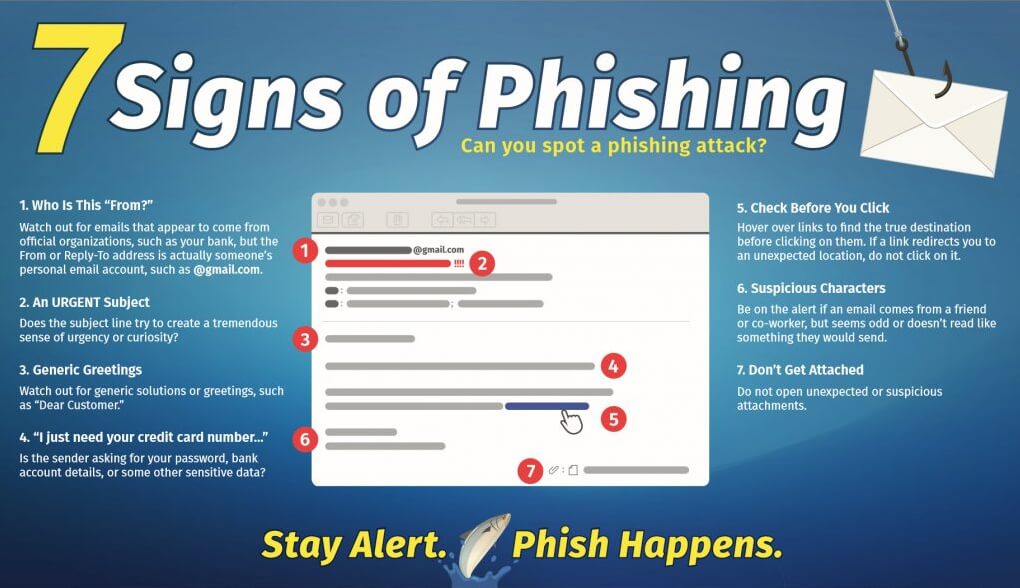
Additionally, watch for poor grammar or awkward wording. Many phishing emails are not written by native English speakers. These errors often indicate fraud. Next, hover over links without clicking them. If the URL looks odd or unrelated, don’t trust it. Clicking such links can install malware or steal your credentials.
What to Do If You Receive a Phishing Email
First of all, do not click on any links or download any files. Doing so could compromise your device. Second, don’t respond to the email. Hackers might use your reply to confirm your email is active.
Next, report the message. If you use Gmail, click the three-dot menu and choose “Report phishing.” For Outlook, use the “Report” button. You can also forward phishing messages to reportphishing@apwg.org.
After reporting, delete the email. Then, block the sender. If you clicked on anything suspicious, run a malware scan immediately. Moreover, change any compromised passwords. Enable two-factor authentication to protect your accounts further.
Why Phishing Emails Are So Dangerous
Phishing emails are dangerous because they are deceptive. They often appear completely legitimate. They target both individuals and businesses. Once inside a system, hackers can access sensitive data, spread malware, or steal money.
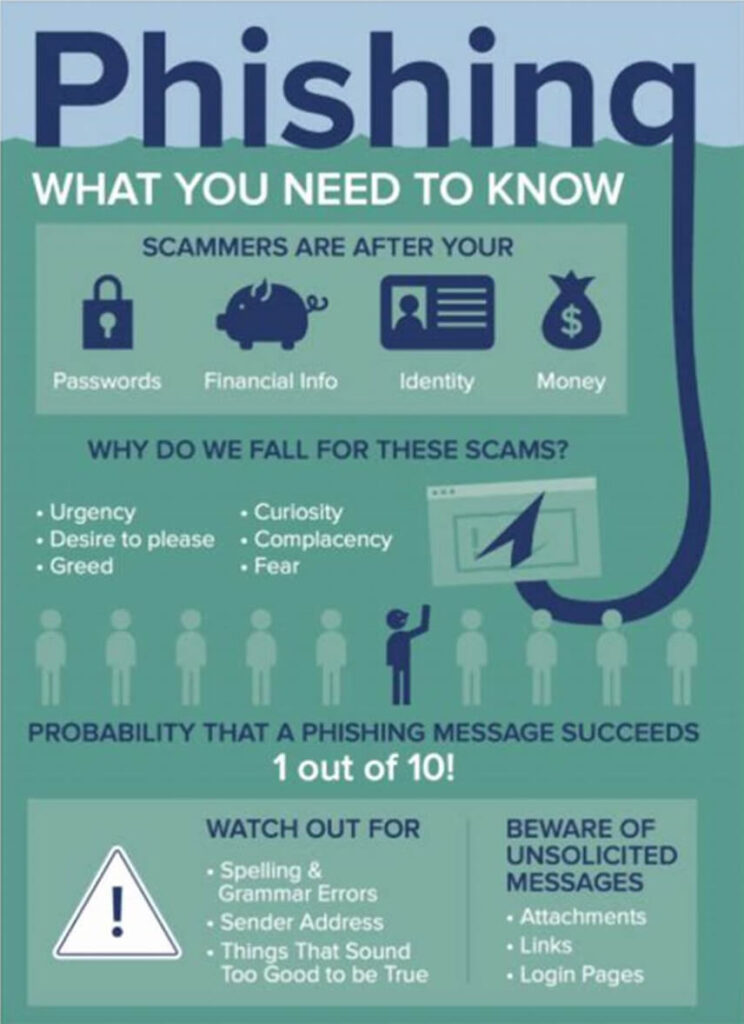
Worse, many phishing attacks go undetected for days. Victims may only realize later when unusual activity appears on their accounts. That’s why early detection is crucial. Training staff and staying alert can make a big difference.
Practical Tips to Stay Safe
Always double-check the URL before clicking. If unsure, type the web address directly into your browser. Avoid clicking links in unsolicited messages. Also, regularly update your browser and antivirus software. These tools often block known phishing sites.
Finally, keep educating yourself and others. For example, share phishing awareness tips with coworkers. Use online resources like Phishing.org to stay informed. A small investment in awareness pays huge security dividends.