The year 2026 is here, and mobile productivity has reached its peak. For many years, we relied solely on desktop computers for any serious work. Those bulky machines defined our professional lives. However, times have changed dramatically, and a quiet revolution has taken place. Today, you can easily find powerful mobile productivity tools that serve as excellent desktop alternatives. This shift isn’t just a trend; it’s a fundamental change in how we work. In this detailed guide, we will explore the best cross-platform software. This software empowers you to be as efficient on your phone or tablet as you are on a traditional PC. Let’s explore how you can break free from your desk.
Many people once viewed mobile devices as mere consumption tools. You could read emails or browse the web, but you couldn’t create. However, this perception is no longer accurate in 2026. The distinction between mobile and desktop is rapidly disappearing. This convergence is a very positive development for modern professionals. Now, powerful productivity software allows you to manage entire projects from your smartphone. Tablets have become primary workstations for graphic designers. This shift gives us unmatched flexibility in our daily work.
Microsoft 365: The Familiar Giant
The Microsoft 365 mobile suite is an excellent example. It provides almost everything you need for mobile content creation. You have robust versions of Word, Excel, and PowerPoint on your tablet or phone. All your documents sync effortlessly via OneDrive, which is a key advantage. You can seamlessly start a complex report on your laptop and easily finish it on your phone. This experience is remarkably consistent across all your different devices.
Furthermore, Microsoft continues to add more powerful features to their mobile versions. For instance, Excel on an iPad is surprisingly capable of handling complex formulas. Word on mobile now offers incredibly robust editing and review tools. Indeed, for existing Microsoft office ecosystem users, this transition is particularly seamless and productive. It feels very familiar, which is a major positive point.
The Google Workspace Advantage for Web Productivity Apps
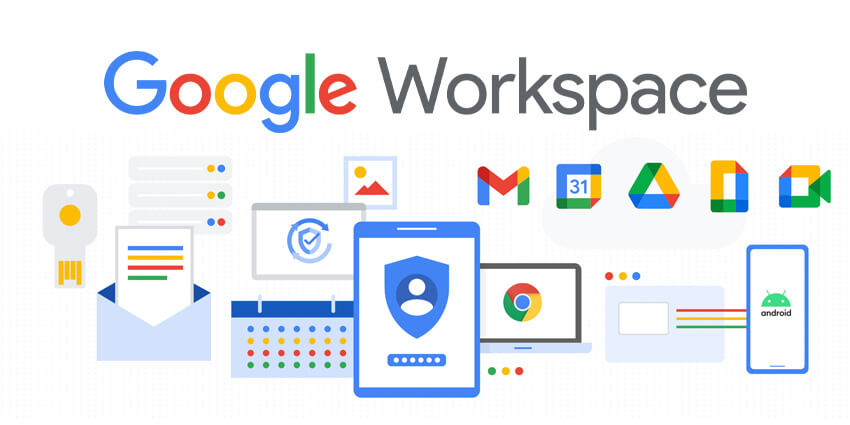
On the other hand, Google Workspace is another exceptional cross-platform solution. For many, its completely web-based nature offers unparalleled flexibility. Apps like Docs, Sheets, and Slides work wonderfully on any modern mobile browser. Furthermore, the specialized mobile apps offer a smooth and highly productive experience. Collaboration is excellent in Google Workspace, just as it is on a desktop computer. You can seamlessly share and edit documents with anyone, anywhere. It’s a true leader in cloud-based web productivity apps.
Pro-tip: While using Google Workspace on mobile, try using a physical Bluetooth keyboard. It can significantly boost your overall typing speed and comfort level. This simple addition can make you feel as efficient as a desktop user.
Mobile Creative Suites: Professional Mobile Graphic Design
For creative professionals, the mobile landscape in 2026 is truly remarkable. Adobe Creative Cloud has made monumental progress on both phone and tablet platforms. Apps like Photoshop and Lightroom on the iPad are now incredibly full-featured tools. In many cases, these powerful versions successfully replace their more complex desktop counterparts. This empowers graphic designers and photographers to achieve professional results from virtually anywhere. They no longer need to be tethered to a powerful desktop.
Similarly, other apps have emerged as leaders in the mobile design space. Procreate on the iPad is an exceptional tool for digital artists. It offers a professional-grade sketching and painting experience that many artists find indispensable. Vector design apps like Affinity Designer have also evolved into powerful mobile graphic design solutions. Consequently, you can confidently take a project from an initial concept to a final professional result. This creative freedom is a major benefit for many users.
Warning: Remember that extensive photo or video editing on a mobile device consumes significant battery power. Therefore, always have a powerful portable charger nearby, especially during long projects. Running out of power mid-project can be extremely frustrating.
Project Management and Task Management for the Professional
Managing complex projects no longer ties you to a massive desk. Powerful project management tools are now incredibly effective on mobile platforms. Apps like Trello, Asana, and Notion provide a superior mobile experience. Their mobile interfaces are highly intuitive and allow you to easily manage tasks from anywhere. This level of accessibility is a massive advantage for any busy team lead or project manager.
Furthermore, these tools are excellent for both task management and overall personal organization. For instance, Notion is excellent for creating a comprehensive personal knowledge database. It allows you to organize everything from simple meeting notes to intricate multi-stage project plans. Consequently, these mobile tools are remarkably powerful, flexible, and completely cross-platform apps. You can truly maintain full control over all your work, regardless of your location.
Final Thoughts on 2026 Workflows
The world of work is rapidly evolving, and our mobile devices are leading this very exciting charge. This guide has clearly shown that powerful desktop alternatives are no longer a dream; they are a reality in 2026. You can confidently use productivity software on your phone or tablet for serious professional tasks. These solutions offer a versatile experience that effectively challenges the traditional desktop computer. By adopting these powerful cross-platform apps, you gain unparalleled freedom and flexibility in your professional life. We are no longer limited by location or equipment.
We hope you have found this overview of mobile productivity tools in 2026 to be very informative and helpful. What is your go-to mobile productivity app for serious work? Is it a powerful writing tool or an essential design suite? Please leave your valuable thoughts and recommendations in the comments below! We are genuinely looking forward to hearing all about your professional mobile workflows. Let’s continue the conversation and help everyone discover the power of working from anywhere.