
Microsoft is currently rolling out a critical infrastructure refresh to protect millions of PCs globally. This initiative addresses the Windows 11 Secure Boot updates required as original security certificates reach their end-of-life. These certificates act as the digital “handshake” between your hardware and software during startup. Because the original 2011 certificates begin expiring in June 2026, systems must transition to newer 2023 standards. You should understand how these changes maintain your PC’s Secure Boot certificate renewal and overall platform integrity.
Understanding the Secure Boot Certificate Renewal
The Secure Boot process uses a database of trusted certificates stored within your motherboard’s firmware. These digital keys verify that your Boot Manager and operating system remain untampered by malicious actors. Since the initial launch of the technology, the Microsoft Support documentation confirms that the 2011 Certificate Authorities (CAs) are nearing retirement. To prevent a security vacuum, Microsoft is deploying the “Windows UEFI CA 2023” to replace the aging versions.
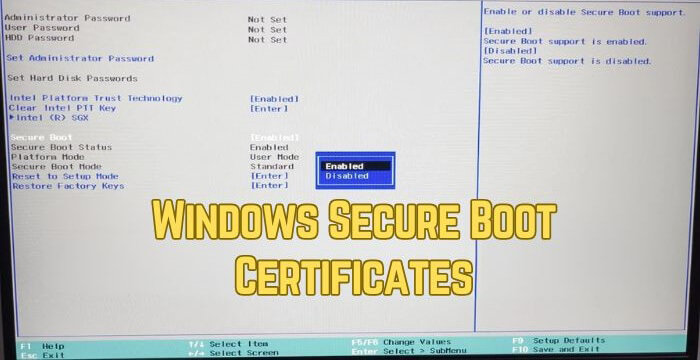
Most users will receive these updates automatically through the standard Windows Update service. However, this transition requires a coordinated dance between the OS and your system’s UEFI firmware. If your PC fails to update, it enters a “degraded security state” where it can no longer verify new boot components. While your computer will still start, it will lack protection against emerging boot-level threats and vulnerabilities.
Windows 11 2026 Security Changes and Your PC
The Windows 11 2026 security changes primarily target the “Root of Trust” found in modern computing. This update cycle specifically introduces revocations for older, vulnerable bootloaders to prevent hackers from bypassing security. According to the Windows Blog, this represents one of the largest security maintenance efforts in history. It ensures that your device can continue to receive critical fixes for the early boot environment.
Microsoft has phased this rollout to ensure maximum reliability across diverse hardware configurations. Initial stages focused on “high-confidence” devices that already support the necessary firmware variables. By mid-2026, the enforcement phase will begin, making the 2023 certificates the mandatory standard for secure operations. You can monitor your status via the Windows Message Center for the latest KB release notes.
Impacts on Older Hardware Compatibility
The impacts on older hardware compatibility remain a top concern for users with aging machines. Systems manufactured before 2024 may require a manual BIOS or UEFI firmware update from the manufacturer. Some older motherboards might not have enough storage space in their NVRAM to hold the new, larger certificates. If your OEM does not provide a firmware update, your device might remain stuck with the expiring 2011 keys.
Users running Windows 11 on “bypassed” or unsupported hardware may face additional hurdles during this transition. These systems often miss out on the automated telemetry that Microsoft uses to trigger certificate injection. Furthermore, if you rely on dual-booting Linux, you must ensure your Linux distribution supports the new 2023 Microsoft UEFI CA. Failure to synchronize these keys could prevent your secondary operating system from booting entirely once the old keys expire.
Managing Software Compatibility for Windows 11
Maintaining software compatibility for Windows 11 involves more than just checking your favorite apps. Specialized software like BitLocker drive encryption and third-party bootloaders depend heavily on a valid Secure Boot chain. If the trust anchor breaks, features like BitLocker might trigger recovery mode frequently or fail to protect your data. Organizations should use tools like Microsoft Intune to audit their fleet’s certificate status.
Most modern antivirus and security suites will continue to function without issue during this transition. However, low-level system utilities that interact with the boot process may require updates to recognize the new certificates. Always verify that your system is running the latest cumulative updates to avoid unnecessary software conflicts. Keeping your firmware and OS aligned ensures a seamless experience as we move past the June 2026 deadline.
Final Thoughts
Security is a moving target, and the 2026 Secure Boot refresh is a necessary step for a safer ecosystem. While most users won’t need to lift a finger, being aware of your hardware’s status prevents future headaches. Check your manufacturer’s support page today to see if a BIOS update is waiting for you.
How has your experience been with the latest Windows updates? Let us know in the comments below if you’ve encountered any boot issues!