Is your computer feeling slow and unresponsive lately? You might need a system optimizer to clear out the digital clutter. Over time, Windows collects thousands of temporary files that eventually bog down your speed. Many users search for the best free PC cleaner to solve these frustrating performance issues.
Maintaining a healthy system requires more than just deleting a few old photos. You must target hidden system logs and cache files that hide deep within your drive. This guide explores the most effective ways to safely free up space without risking your data. We will compare popular third-party apps against the tools already built into your operating system.
Built-in Windows Storage Management Tools
Microsoft provides excellent native utilities that handle basic maintenance tasks effortlessly. You can access Storage Sense through your settings menu to automate the deletion of temporary files. This feature monitors your drive and clears your recycle bin on a set schedule. It offers a very safe way to maintain your machine because it rarely touches critical system files.
The classic Disk Cleanup utility remains a favorite for many long-term Windows users. It allows you to remove previous Windows installations which can often exceed 20GB in size. You should always run this as an administrator to see the most comprehensive list of junk. Using native tools ensures your system remains stable while you reclaim valuable gigabytes of storage.
CCleaner: The Popular Choice for System Optimization
CCleaner has served as a household name in the tech world for nearly two decades. This tool excels at browser cleaning by removing cookies and history across multiple platforms simultaneously. It features a user-friendly interface that makes complex tasks feel simple for beginners. You can also use its registry cleaner to remove orphaned entries left by old software.
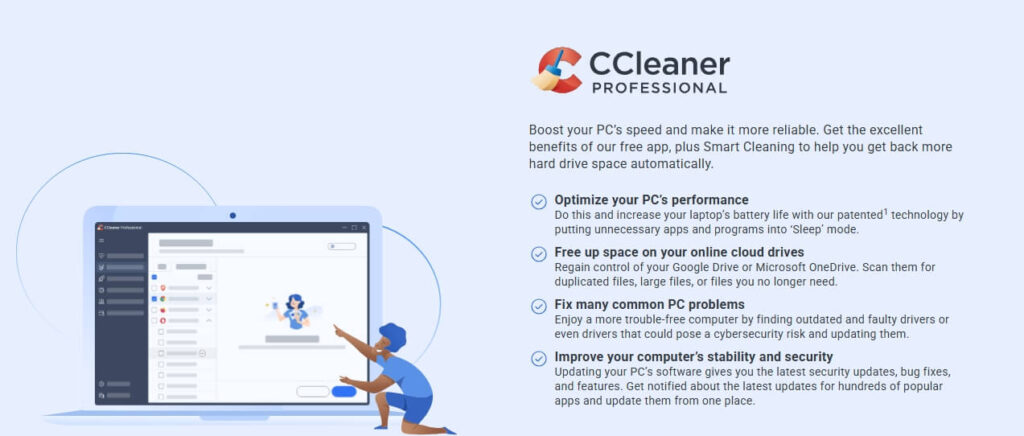
However, some power users worry about the background processes that CCleaner occasionally runs. You must pay attention during installation to avoid any extra bundled software you do not want. Despite these concerns, it remains a powerful system optimizer for those who want a one-click solution. It provides a “Health Check” feature that analyzes your PC and suggests immediate improvements.
BleachBit: The Privacy-Focused Open-Source Alternative
If you prefer transparency and deep cleaning, BleachBit is the ultimate open-source champion. It is completely free and lacks the annoying advertisements found in many “freemium” applications. This tool allows you to “shred” files so they can never be recovered by forensic software. Many privacy advocates recommend BleachBit because it targets hundreds of different applications.
You must exercise caution when using this tool because it is extremely powerful. It can delete system files that might cause errors if you select the wrong options. Always read the descriptions of each checkbox before you start the cleaning process. This utility is perfect for users who want total control over their Windows optimization routine.
Comparative Analysis Table
| Feature | Windows Built-in | CCleaner | BleachBit |
| Ease of Use | Very High | High | Moderate |
| Cleaning Depth | Basic | Advanced | Deep |
| Privacy Tools | Limited | Good | Excellent |
| Registry Cleaning | No | Yes | No |
| Open Source | No | No | Yes |
This video provides a side-by-side comparison of CCleaner, BleachBit, and Microsoft’s native tools to help you choose the best one for your specific needs.
Final Thoughts on Windows Optimization
Choosing the right tool depends entirely on your technical comfort level and your specific needs. Beginners should stick to the Microsoft PC Manager for a safe and official experience. Advanced users will likely appreciate the granular control offered by open-source projects. Regularly cleaning your drive will extend the life of your hardware and keep your workflow smooth.
Do you have a favorite maintenance routine that we missed in this guide? Leave a comment below and share your best tips for keeping Windows fast!