Keeping your Windows PC safe from viruses and malware is more critical than ever in 2025. With the rise of AI-generated phishing, ransomware, and zero-day threats, your computer faces evolving risks every time you go online.
While Windows 11 includes solid built-in protections, relying on them alone isn’t enough. To truly safeguard your files, identity, and digital life, you need proactive habits and layered defense strategies. This guide will help you understand essential cybersecurity practices you should adopt right now.
1. Keep Windows and Software Updated Regularly
Outdated software is one of the most common vulnerabilities hackers exploit. Microsoft frequently releases patches to fix security gaps.
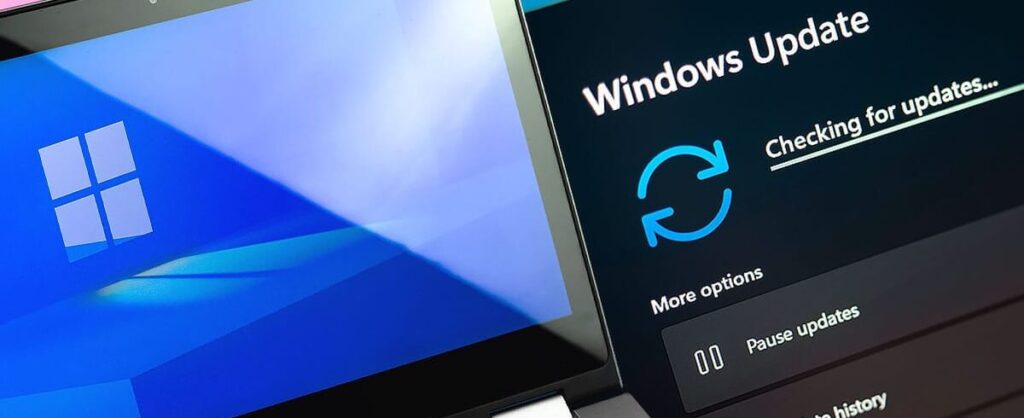
To stay protected, enable automatic updates in Settings > Windows Update. Additionally, check third-party software like Adobe Reader or Chrome for updates regularly. You can use Patch My PC to streamline this process.
2. Use Microsoft Defender or a Trusted Antivirus
Windows 11 comes with Microsoft Defender, a built-in antivirus that performs well in independent tests. It offers real-time protection, cloud-based updates, and phishing detection.

However, if you need more advanced tools like ransomware rollback or firewall customization, consider third-party software like Bitdefender or Kaspersky.
3. Never Click Suspicious Links or Download Unknown Attachments
Phishing attacks have become smarter. Always check the sender’s email, hover over links to preview the destination, and avoid clicking unknown attachments.
If unsure, scan files using VirusTotal before opening them. Use a browser extension like Netcraft Extension to block known scam websites.
4. Use a Strong Password Manager and Enable 2FA
Weak or reused passwords are a hacker’s favorite entry point. Instead, use a password manager like Bitwarden or 1Password.
Pair your logins with two-factor authentication (2FA) whenever possible. This simple step blocks 99% of automated attacks—even if your password is compromised.
5. Disable Unnecessary Startup Programs and Admin Rights
Malicious software often hides in startup programs or uses admin privileges to gain full control. Disable unnecessary startup items in Task Manager > Startup Apps.
Also, avoid using an administrator account for daily use. Set up a standard user profile and only switch to admin for specific tasks.
6. Turn On Firewall and Network Protection
Your firewall is your PC’s first line of defense against unwanted access. Make sure the built-in firewall is enabled via Settings > Privacy & Security > Windows Security > Firewall & network protection.
For advanced features, use third-party tools like GlassWire to monitor real-time network traffic and suspicious app behavior.
7. Use Secure Wi-Fi and Avoid Public Networks
Unsecured Wi-Fi makes it easy for hackers to intercept your data. Always protect your home network with WPA3 encryption and a strong router password.
If you must use public Wi-Fi, connect through a trusted VPN like ProtonVPN or NordVPN. These services encrypt your data and hide your location.
8. Enable Controlled Folder Access in Windows Security
To fight ransomware, enable Controlled Folder Access. This feature prevents unauthorized apps from changing files in protected folders.
Turn it on via Windows Security > Virus & Threat Protection > Ransomware Protection. Add folders like Documents, Pictures, and Desktop to the protected list.
9. Regularly Back Up Important Files
Even with top-tier protection, no system is immune to every threat. Schedule regular backups using File History or Macrium Reflect.
For cloud storage, consider Google Drive, OneDrive, or IDrive. Always store at least one backup offline or on an external drive.
10. Educate Yourself and Stay Informed
New threats emerge every week. Stay updated by following trusted security blogs like Krebs on Security or The Hacker News.
Enroll in free cybersecurity courses from Cybrary or Coursera. The more you learn, the better your defense becomes.
Final Thoughts
Cybersecurity in 2025 requires more than just installing antivirus software. It’s about building habits that keep your system, data, and identity safe from growing digital threats.
Which tips have you already tried? Do you use a specific antivirus or backup solution? Share your thoughts in the comments—we’d love to hear what works for you!