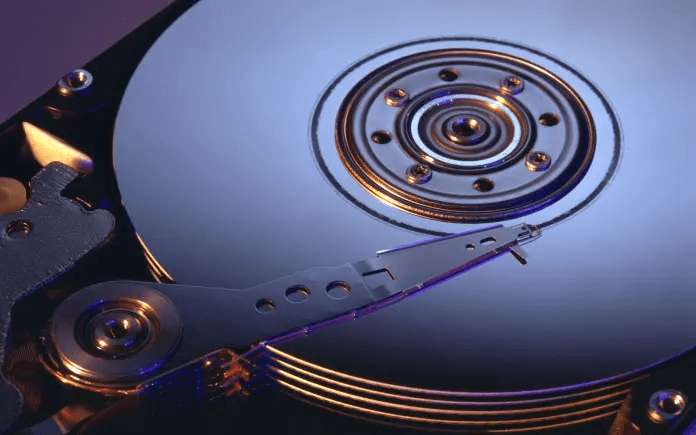
Choosing between an SSD and HDD in 2025 is more critical than ever. With evolving software demands and larger file sizes, storage performance can greatly impact your computing experience. Both Solid State Drives (SSDs) and Hard Disk Drives (HDDs) offer advantages, but they differ in speed, cost, durability, and use cases.
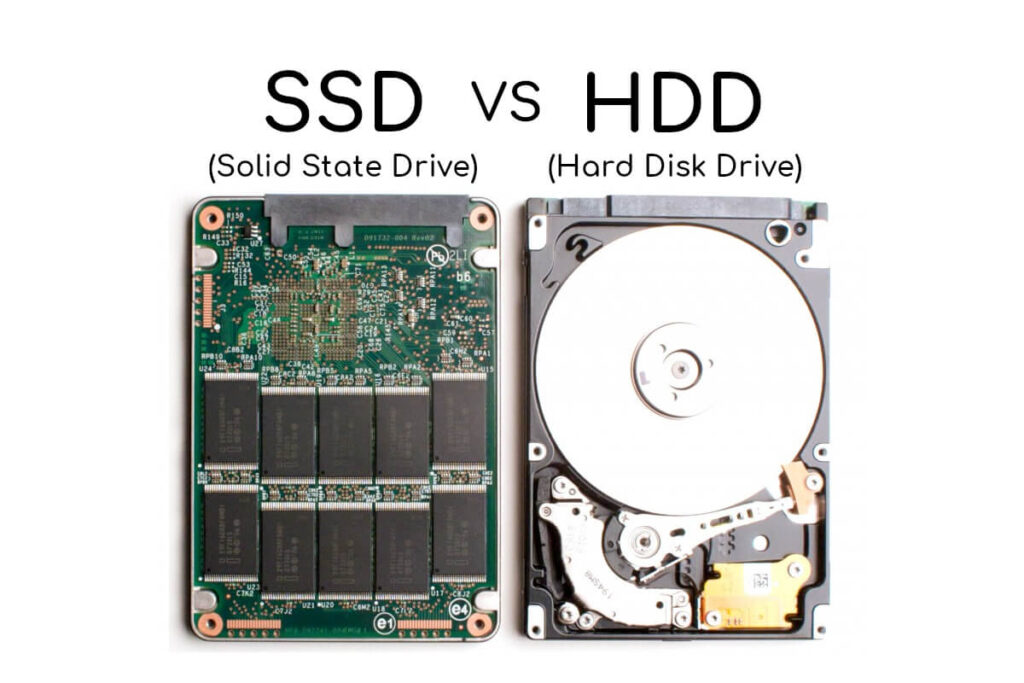
Whether you’re building a gaming rig, editing videos, or just upgrading an old PC, your storage choice matters. In this article, we’ll break down how SSDs and HDDs stack up in real-world scenarios. We’ll also explain which one fits your needs better.
Speed and Performance: SSDs Still Dominate
Speed remains the key reason why SSDs are preferred by most users in 2025. Unlike HDDs, SSDs use flash memory with no moving parts.
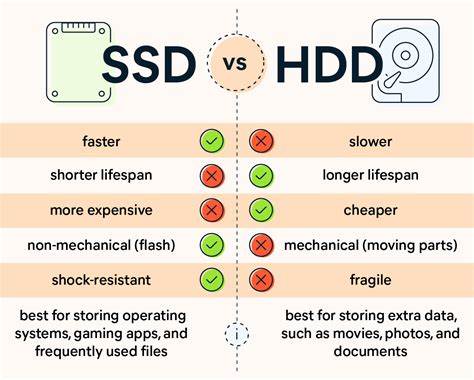
This leads to significantly faster boot times, software launches, and file transfers. For example, an SSD can boot Windows 11 in under 10 seconds, while an HDD may take over 30 seconds. You’ll also find that SSDs handle multitasking better under pressure.
Gamers and professionals benefit the most from SSD speed. Tasks like rendering, data analysis, or gaming level loads are much quicker. You can learn more about SSD advantages from Kingston Technology.
Cost Comparison: HDDs Still Win in Price Per GB
When it comes to affordability, HDDs continue to be the more cost-effective solution. As of 2025, you can get a 2TB HDD for a fraction of the price of a 2TB SSD.
This makes HDDs ideal for users who need lots of storage on a tight budget. They’re perfect for archiving media libraries, backups, or files you don’t use daily.
However, SSD prices have dropped steadily over the years. You can now get a reliable 1TB SSD at a reasonable rate. Still, HDDs offer more storage per dollar. For a current price breakdown, check PCPartPicker or Newegg.
Durability and Longevity: SSDs Lead in Shock Resistance
One of the top benefits of SSDs is their durability. Because SSDs have no moving parts, they’re far more shock-resistant than HDDs.
HDDs rely on spinning magnetic platters and read/write heads. These components are sensitive to physical damage and wear over time. A sudden drop or jolt can easily damage an HDD.
This makes SSDs the better option for laptops, mobile workstations, or any device that might be moved frequently. If you prioritize long-term reliability and resilience, an SSD is the smarter pick. For durability insights, check out Crucial’s guide.
Storage Capacity: HDDs Offer More Room for Less
Although SSD capacities are increasing, HDDs still provide more room for your dollar. Large-scale data storage is where HDDs truly shine.
For example, photographers, videographers, or server users who deal with massive files often choose HDDs. It’s easy to store 4TB or more on a single drive without breaking the bank.
However, hybrid solutions are also popular in 2025. Many users run SSDs for their operating system and applications, and pair them with HDDs for bulk storage. Learn more about hybrid storage setups from Western Digital.
Use Case Scenarios: Which One Is Right for You?
For everyday users, an SSD boosts system responsiveness and offers a smoother experience. If you browse, stream, and work on documents, an SSD will feel lightning fast.
For gamers, SSDs reduce load times and improve performance, especially in modern AAA games. Some games even require SSDs for optimal performance.
For content creators, an SSD accelerates editing and rendering tasks. However, pairing it with an HDD for large raw files is often ideal.
For enterprise and server users, HDDs still dominate archival storage and backup purposes due to cost efficiency and capacity.
For budget PC builds, HDDs remain relevant. But if possible, even a 256GB SSD paired with a cheap HDD will outperform an HDD-only setup. For build tips, visit Tom’s Hardware or TechRadar.
Final Thoughts
In 2025, SSDs are clearly superior in speed, durability, and efficiency. Yet, HDDs still hold value in high-capacity, budget-focused setups.
If you’re looking for speed, responsiveness, and future-proofing, go for an SSD. If you just need mass storage without spending much, an HDD can still serve you well.
Have you recently upgraded your storage setup? Share your experience or ask questions in the comments below!