
Creating a website from scratch can feel overwhelming, especially for beginners. However, with the right steps and tools, it becomes easier. Whether you’re building a personal blog, a business website, or a portfolio, this guide simplifies the process. In this tutorial, you’ll learn how to build a fully functional website from the ground up.
Today, a responsive design and custom domain are essential for any successful website. Fortunately, you don’t need to be a coding expert. With modern tools and platforms, website development is more accessible than ever. This guide outlines the process in manageable steps, from planning to launch. Each step includes recommended tools and external resources to help you get started.
Step 1: Define Your Purpose and Goals
Before jumping into design or development, identify your website’s main purpose. Ask yourself what you want to achieve. Are you promoting a product, sharing your expertise, or showcasing your work? The answers will guide the design and content strategy.

Also, define your target audience. Knowing who you’re speaking to helps shape your message. For example, a website targeting young professionals may look different than one for retirees. This step helps create a website that delivers results.
Step 2: Choose the Right Platform
Next, select a platform that suits your needs and skill level. WordPress is a popular option due to its flexibility and large plugin library. Wix and Squarespace offer beginner-friendly tools with drag-and-drop functionality. If you prefer a custom-coded site, consider using GitHub Pages with HTML, CSS, and JavaScript.

Each platform has strengths and weaknesses. For instance, WordPress provides full control, while Wix requires less maintenance. Therefore, choose the one that fits your technical comfort level and long-term plans.
Step 3: Get a Domain Name and Web Hosting
A custom domain builds trust and reinforces your brand. Services like Namecheap and GoDaddy make registering a domain easy and affordable. Pick a name that’s short, memorable, and relevant.
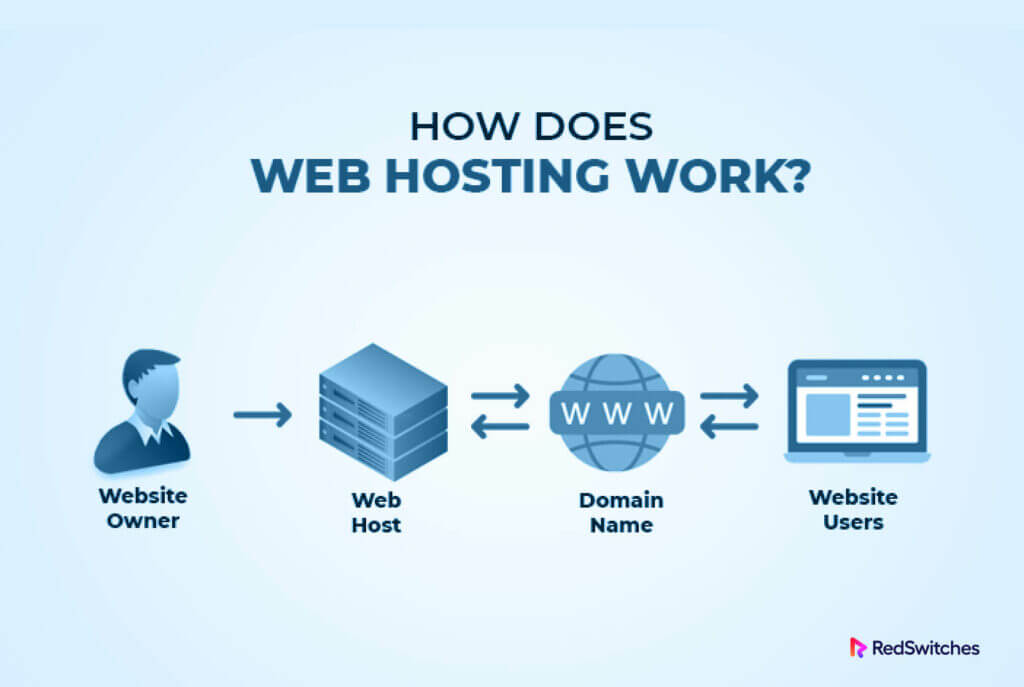
For hosting, choose a provider based on reliability, speed, and customer support. Bluehost, SiteGround, and Hostinger are reliable options. Many hosts offer bundled deals with free domain registration for the first year.
Step 4: Plan the Site Structure
Now, sketch your website’s structure. Begin with the homepage, then add core pages like About, Services, and Contact. Use a logical hierarchy that’s easy to navigate. This helps users and boosts SEO performance.
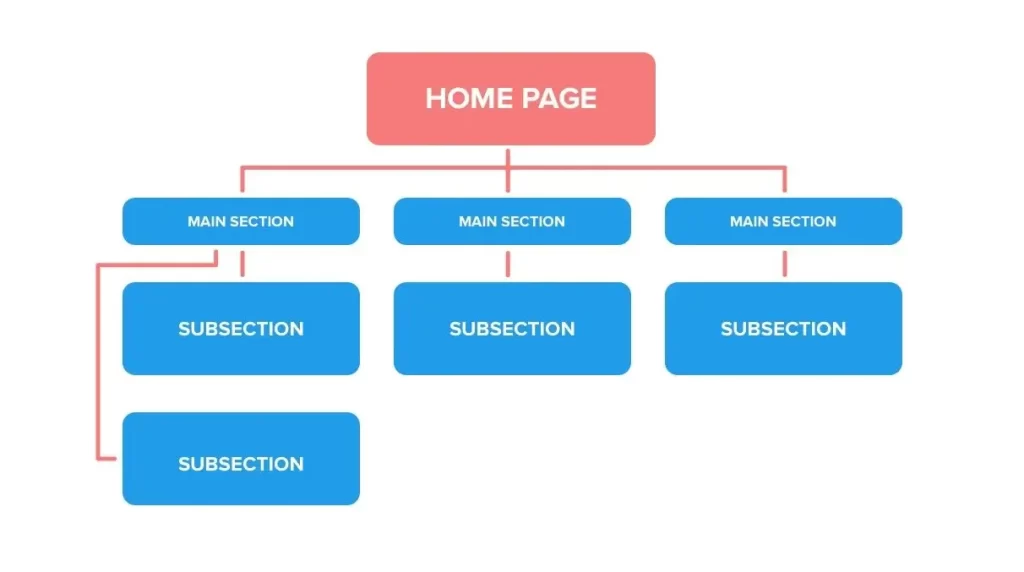
Consider future scalability. Even if your site starts small, allow room for expansion. Use tools like GlooMaps to create visual sitemaps. Planning helps avoid messy navigation later.
Step 5: Design with User Experience in Mind
Design impacts how visitors interact with your website. Choose a layout that emphasizes simplicity, clarity, and responsiveness. Your design should work on all screen sizes, including smartphones and tablets.

Use white space effectively and stick to two or three colors. Choose readable fonts and keep consistency across all pages. If you use WordPress, themes like Astra or OceanWP offer lightweight and customizable design options.
Step 6: Develop the Website
If you’re using a CMS like WordPress, start by installing your theme and essential plugins. For a hand-coded website, begin with a basic HTML structure and enhance it with CSS and JavaScript.
Focus on performance. Compress images, use caching, and optimize code to reduce loading time. Google’s PageSpeed Insights can help analyze and improve speed. Additionally, make sure your site complies with accessibility guidelines.

Step 7: Add Essential Content
Content is the heart of any website. Use compelling headlines, helpful information, and clear calls to action. Incorporate storytelling when possible to engage your audience emotionally.
Ensure every page has a purpose. Add testimonials, product descriptions, or a portfolio depending on your goal. Also, use SEO techniques like keyword placement and meta descriptions to improve visibility.
Step 8: Test and Optimize
Before launching, test your site across multiple devices and browsers. Look for broken links, design flaws, and functionality issues. Also, check for grammatical errors or typos that may harm your credibility.

Use tools like Google Analytics to track visitor behavior. Regularly update and optimize your content based on real data. This keeps your site relevant and effective over time.
Step 9: Launch and Promote
Finally, it’s time to go live. Double-check everything one last time before publishing your website. After launching, promote your site through social media, email newsletters, and digital ads.
Keep building your online presence. Blog regularly, respond to user feedback, and keep your site up to date. The more you engage, the more successful your website will be.
Conclusion: Final Thoughts on Building Your Website
Building a website from scratch may seem complex at first, but with a structured approach, it’s entirely manageable—even for beginners. By following the steps outlined in this guide, you can create a website that is both functional and visually appealing.
Remember to stay focused on your goals, prioritize user experience, and continuously optimize your site. The digital world changes rapidly, so updating content, improving speed, and adapting your design are essential. Whether you’re creating a personal brand, launching a business, or sharing your passion, your website is a powerful tool. Start building today and watch your online presence grow.